
You might like:


About this App
App lock - lock apps with fingerprint, password, pin or pattern, protect privacy
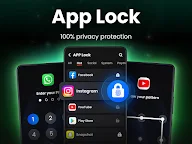
App Lock, easily lock apps and protect your private data with one click. Guard your phone with PIN, pattern or fingerprint.
100% security and privacy!
🔒Lock Apps
✦Easily lock social apps like WhatsApp, Instagram, Facebook, and others. Never worry about someone flipping through your chats or social media posts.
✦Applock fully protects your Gallery, Contacts, Messages, etc. No one can snoop on your private photos, videos, or messages without a password.
✦Lock apps in multiple ways, protect your private data with PIN, pattern or fingerprint.
✦You can lock Google Pay, Paypal to avoid accidental payments, or prevent your kids from purchasing games.
💼Safe Vault
App Lock can hide private photos/videos. Hidden files are not visible in your gallery, only you can view them by entering a password. Keep your private memories from being seen by others.
📸Intruder Selfie
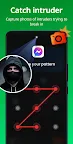
It will automatically capture a photo if someone tries to break into your app with the wrong password. No one can view your apps without permission, 100% privacy protection.
🎭Disguise App
Disguise Applock as another app by replacing the original app icon. Confuse peepers to prevent this app from being discovered by others.
🛡️Uninstall Protection
Prevent hidden files from being lost due to accidental uninstallation.
🎨Customize Themes
Multiple themes are available, you can choose the lock screen theme you like.
🔎More Features:
Hide pattern draw path - your pattern is invisible to others;
Random keyboard - no one can guess your password;
Relock settings - relock after exit, screen off; or you can custom relock time;
Lock new apps - detect if new apps are installed and lock apps with one click.
🔔Features coming soon:
Encrypt notification - encrypted app messages are not displayed in system notification bar and can be directly read in App lock;
Junk file cleaner - clean up duplicate photos/videos, screenshots, app cache to save memory;
Cloud backup - back up your data to the cloud, never worry about losing files.
⚙️Required permission:
AppLock needs All Files Access permission to help you hide your private photos/videos and other files. It's only used to protect files and will never be used for other purposes.
FAQ:
⚠️What if I forgot my password?
You can set a recovery email to help you reset your password when you forget it.
⚠️How to change my password?
Click Settings -> Click Change password -> Set a new password
We will continue to improve our app! If you have any suggestions or questions, please contact us at golockfeedback@gmail.com.
Lockapp with fingerprint lock
Don't hesitate to download this app lock that supports fingerprint lock. With it, you can easily lockapp with a fingerprint lock.
Set app lock fingerprint
You can set an app lock fingerprint to protect your files and lockapp. Fingerprint app lock not only supports app lock fingerprint but also supports PIN and pattern.
Lock apps fingerprint
Do you want to lock apps fingerprint? Try this powerful locker that supports lock apps fingerprint.
The safest app lock
Don't want others to see your photos, videos, and chat history? You need an app lock. Try this most secure app lock and give your phone 100% privacy protection.
Lock apps
If you want to lock apps and lock your private data, then you can download this app locker and lock apps with one click.