You might like:


About this App
Assistive touch lets you access important shortcuts contacts and apps quickly
Get rid off hard buttons on android and shortcuts , protect your keys and make your life smart by using Assistive Touch (iTouch) OS 13.1 & Navigation Bar instead of pressing wasting time to search phone contacts , android phone settings and android apps, also you can customize menu actions of your choice and much more
Exclusive Features on iTouch
->🔥 Drag Drop shortcut keys
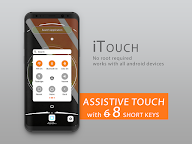
->🔥 8 shortcut keys , others have only 6 keys
->🔥 real i OS 13.1 style
->🔥 All apps search
->🔥 Drag drop contacts keys
->🔥 Drag drop app keys
->🔥 Contacts search
->🔥 Light/Dark mode
->🔥Quick setup time for apps,contacts & settings shortcuts
->🔥Light/Dark mode
App HighLights( iTouch Assistive Touch features):-
->adjust volume up and down
->ringer/silent
->WiFi On/Off
->Android Phone Data On/Off
->Adjust brightness up and down
-> lock your screen
->use multi-finger gestures
->restart your device
->replace pressing buttons with just a tap
->Recent Apps
->Location GPS
->Screen Shot
->Lock Screen
->Airplane Mode
->Bluetooth
->Rotate Screen
->FlashLight
->Power On/Off (Switch Off and On android phone)
->Open Notification Bar
When you turn on iTouch Assistive Touch, you'll see a button appear onscreen. You can drag it to any position on the screen, where it will stay until you move it again. By default, tapping the button once will open the iTouch Assistive Touch menu. Tapping once anywhere outside of the menu will close it.
Access menus and controls that require onscreen gestures like:
Control Center
Notification Center
Spotlight
Home
App Switcher
Speak Screen
The menu gives you access to functions that would otherwise be controlled by pressing physical buttons or moving the device. Here's some of what you can do:
Activate the Accessibility Shortcut
Lock the screen
Adjust the volume
Voice Assistant
Restart the device
Capture a screenshot
Simulate shaking the device
Go to Settings > Accessibility > Touch, then select iTouch Assistive Touch to turn it on.
Accessibility API Requirement : Enable Accessibility Service to perform global actions like going back, opening notifications taking screen shot, double tap to lock screen. Please be assured that this app will not collect any personal information