
You might like:


About this App
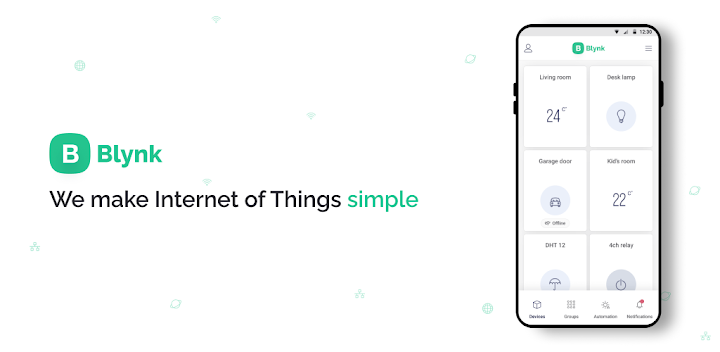
Custom app at no-code speed
Trusted by over 1 million IoT developers worldwide, Blynk lets you build and customize beautiful, feature-rich apps without writing a single line of code.
Blynk solves IoT complexity at every stage with easy workflows for end-user device activation, WiFi provisioning, seamless OTA firmware updates, enterprise-grade security, and much more!
Not Just an App...
Blynk is an award-winning low-code IoT platform that supports IoT at any scale—from personal prototypes to millions of connected devices in production environments.
2024 Leader: IoT Platforms (G2)
2024 High Performer: IoT Management (G2)
2024 Momentum Leader: IoT Development Tools (G2)
Designed, developed, tested, and continuously maintained, Blynk provides the building blocks of a fully integrated cloud IoT platform software solution—loved by customers and their end-users around the world!
☉ Here’s What You Get When You Sign Up:
Blynk.Apps: Drag-n-drop IoT app builder to build and brand feature-rich mobile apps in minutes and instantly manage devices, users, and data remotely.
Blynk.Console: A powerful web portal to manage devices, users, and organizations, perform OTA firmware updates, and handle other important business functions.
Blynk.Cloud: Cloud infrastructure needed to securely host, scale, and monitor your IoT solutions. Receive, store, and process data in real-time or at intervals. Connect to your other systems via APIs. Private server options are available.
☉ Secure, Scalable Enterprise-Grade Infrastructure
Processing over 180 billion hardware messages monthly, Blynk provides secure, end-to-end encryption between the cloud, apps, and devices with 24/7 incident monitoring, ensuring you don’t have to worry about security.
☉ Robust Hardware Compatibility
Supporting over 400 hardware development boards—including ESP32, Arduino, Raspberry Pi, Seeed, Particle, SparkFun, Blues, Adafruit, Texas Instruments, and more—Blynk makes it easy to connect your devices to the cloud using WiFi, Ethernet, Cellular (GSM, 2G, 3G, 4G, LTE), LoRaWAN, HTTPs, or MQTT.
☉ Flexible Connection Options
Blynk Library: Pre-configured C++ library for low-latency, bi-directional communication.
Blynk.Edgent: Advanced features with less code for data exchange, WiFi provisioning, OTA firmware updates, and API access to apps and cloud.
Blynk.NCP: High-quality network co-processor integration for dual MCU architecture.
HTTP(s) API: Standard protocol to securely communicate and transfer data.
MQTT API: Secure, versatile two-way communication for building MQTT dashboards or panels.
☉ What an IoT Developer Can Do with Blynk:
- Easy Device Activation
- Device WiFi Provisioning
- Sensor Data Visualization
- Shared Access to Devices
- Data Analytics
- Remote Device Control
- Asset Tracking
- Firmware Over-the-Air (OTA) Updates
- Multi-Device Management with a Single App
- Real-Time Alerts: Send and receive push and email notifications.
- Automations: Create scenarios for one or multiple devices based on various triggers.
- Manage Multi-Level Organizations and Access to Devices
- Voice Assistant Integration: Interact with devices using Amazon Alexa and Google Home.
To use the Blynk IoT app, you must agree to our Terms of Use - https://blynk.io/tos


