You might like:


About this App
Accounting - Track Sales , Purchases, Inventory, Expenses, Payments, Receivables
Business Accounting, Invoice, Inventory Management
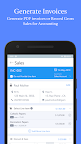
Simple Accounting Bookkeeping helps you to record all your transactions such as Sale, Purchase, Payments , Expenses, Taxes etc. in an extremely simple manner.
Simple Accounting Bookkeeping has been designed for small businesses to manage their complete accounting needs with limited or no knowledge of underlying accounting principles. You can send across invoices, record purchases, manage your expenses, track your payable and receivables. App is free to try for 30 days, after which you can purchase subscription for unlimited transactions
INPUT TAXES : The app supports tracking input credits for VAT / GST etc. on your purchases and offsetting the same on taxes payable against your Sales.
INVENTORY MANAGEMENT : If you buy/sell physical products You can enable inventory tracking for them. Your inventory levels for each product will be automatically reduced on Sale and increased on Purchases. Profit and Loss module would keep track of "Cost of Goods Sold" whenever you make a Sale and calculate your profits accordingly.
It is useful for businesses dealing in services as well as physical products.
Dashboard
The app contains an Easy-to-use Dashboard which features
- Sales / Purchases this month
- Payments Received / Paid this month
- Expenses incurred this month
- Profits earned this month with summary calculation
- Net Payables/ Receivables outstanding
- Current balances in Bank Account and Cash Account
Sales and Purchases
- Create multiple Sales / Purchase Accounts to classify your Sales/Purchase ( by region, product vertical etc.)
- Record a sale / Purchase with or without creating an invoice ( inventory will not be affected if itemised details are not entered)
- Multiple Template options for sending invoices
- Add Logo and Signature to your invoice
- Set Due Dates on Invoice
Payments
- Record your payment transactions when you Make / Receive payments
- Keep track of your payables and receivables
- Payment transactions automatically update your bank / cash balance
- Accept partial payments against an invoice
- Accept payments as Advances even when you have not issued any invoices
Taxes
- Designed for multiple tax systems such as VAT, GST , Sales Tax etc
- Identify Taxes paid on purchase for which you receive input credit ( as in VAT system or GST system)
- Offset these input credits against taxes collected on Sale of Goods
- The app will show you Net Tax Payable as difference of Input Credits and Tax on Sales and record the payment of the same.
Expenses
- Record expenses incurred in cash or as credit
- Petty Cash expenses can be quickly recorded without referring a supplier
- Record payments for expenses incurred on credit
- Dashboard helps you keep track your major expenses
Backup and Restore
- Link your Dropbox account to the app & Backup your data on Dropbox/ Google Drive
Ledger and journal Entries
- View complete ledger of any account - Client , Supplier, Expenses, Cash, Bank, Taxes etc
- Complex transactions can be recorded as simple journal entries using double entry accounting principles ( Credit and Debit)