You might like:


About this App
The whole-new Air Monitor Pro with professional sensors and UI makes the easy.
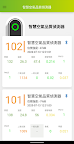
Acer Air Monitor Pro is a real time indoor air quality monitor which is able to detect most contaminants and pollutants which come from the environment and our daily activities. With Acer Air Monitor Pro, start breathing and living better as you take control of the air inside your working space and home.
• Diverse Sensor Configuration:
Support up to 10 types of professional sensors, you can optionally choose the product configuration for your applications.
• Remote Access:
The best way to keep tabs on the air in your officae, home, and protect your employee and family.
• Highly accurate sensors:
Sensor selection includes Laser Scattering type PM2.5 and PM10 sensor, TVOC, NDIR CO2, Electrichemical CO, Electrichemical HCHO, Electrichemical O3 sensor, Temperature and Humidity, and Amibient Light Illumination sensor.
• Responsive Light Indicator:
Intuitive LEDs react to the quality of the air in your home to let you understand the current situation from just a quick glance.
• Installation
Optional wall mount.
• Extension Interface
Allow to access sensor data from RS485 MODBUS RTU protocol. Automatic control ventilation purifier via dry contact interface.
• Historical Tracking:
We give you the tools to proactively affect your long term health, and measure just how well those tools are working. With historical tracking, you can directly see the effects your actions are taking.
Acer Air Monitor Pro Website: http://home.cloud.acer.com/airmonitor/
Permission Disclosure
To provide full Air Monitor AI Platform device management and DMS functionality, this app may request certain permissions on your Android device. Permissions are accessed only when required for specific features, in accordance with the principle of data minimization.
You may choose whether to grant these permissions. However, denying essential permissions may limit core features such as device pairing, remote management, data synchronization, or real-time alerts.
Key permission purposes include:
Location & Network Access
Used for device discovery and pairing, and to verify network connectivity. Location data is used only during device scanning and is not stored or tracked.
Device Identification
Used to read device identifiers (e.g., IMEI/UUID) for secure device registration, authorization, and asset binding within the DMS. This data is not used for advertising or tracking.
App Management
Enables remote installation, update, and removal of business applications on managed devices.
Storage & Media Access
Used to store operation logs, download firmware updates, and allow users to upload images for device icons or profiles.
System Alerts & Background Operation
Enables real-time alerts (including overlay notifications), background monitoring, auto-start after reboot, and alert sound control.
Background Sync & Remote Assistance
Ensures continuous background data synchronization. Screen capture is used only when remote assistance is activated and always requires user confirmation.
You can review or revoke permissions at any time in your device settings. Please note that disabling critical permissions may affect normal operation of the app.