
You might like:


About this App
Offline Mp3 Music Player with great features.
Offline Music Player: MP3 Player App - Your Ultimate Music Experience!
In one word, this powerful app allows you to play music offline seamlessly, save your full control over the music regardless of where you are, and provide a rich feature set with an intuitive interface that brings high-quality sound management right to your device. Our amazing features relate to transforming the way one enjoys songs on the Offline Music Player: MP3 Player App.
Take your library to the next level with the Offline Music Player: MP3 Player App, designed for seamless offline playback and personalized listening.
📄 Offline Music Player: MP3 Player App Key Features 📄
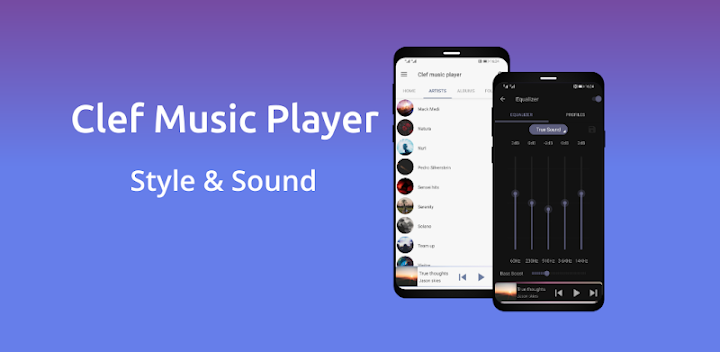
🎶 Effortlessly browse songs by artist, album, and playlist;
🎶 Play Music Offline: Audio Player For Android in multiple formats including MP3, WAV, FLAC, and AAC;
🎶 Organize your MP3 files in dedicated folders;
🎶 Offline Music Player: MP3 Player App - Create and manage custom playlists easily;
🎶 Use the advanced tag editor to update album covers and metadata for multiple files;
🎶 Mark your favorite songs for quick access;
🎶 Customize sound with a built-in equalizer and bass booster;
🎶 Choose from 3 stunning themes, including a sleek dark mode.Enjoy High-Quality Offline Audio, Anytime, Anywhere!
The MP3 Player App-Offline Music Player: With it, you will be able to play offline and manage each peculiarity of your listening. You will definitely find and enjoy your favorite tracks, as it has customizable playlists and is easy to navigate. This app is designed for all audio lovers who want to listen without internet interruptions, making it the perfect Play Music Offline: Audio Player for Android.
Organize Your Audio Library: 🎼
Manage your audio library with ease. The App lets you browse your songs by album, artist, or playlist, keeping everything organized. Add tracks to your favorites, create playlists for every mood, and explore a new level of convenience with Play Music Offline: Audio Player For Android.
Advanced Tag Editing: ✏️
Want to personalize your audio collection? The MP3 Offline Player: Music Player App includes a powerful tag editor, allowing you to change song details, album covers, and even update metadata for up to 40 files simultaneously. Customize every song to your liking, making this app a comprehensive Play Music Offline: Audio Player For Android.
Immersive Sound Customization: 🔊
Enjoy your audio with rich sound customization options. The built-in equalizer and bass booster provide you with dynamic sound settings, so you can tune your Offline Music Player: MP3 Player App experience just the way you want it. Whether you like deep bass or a balanced treble, this feature enhances every beat.Play Music Your Way with the MP3 Offline Player: Music Player App!
The MP3 Offline Player: Music Player App is the ultimate for song lovers, dedicated to playing songs offline. Customize, organize, and enjoy every track to its fullest, whether you're on the go or relaxing at home. Get started with the Offline Music Player: MP3 Player App and transform your listening experience today!


