About this App
This is the new Wear OS application for Insta 360 cameras (Pro version)
This application basically connects to your Insta 360 camera through Wifi connection and lets you capture photos or videos using your Wear OS watch as a remote control.
IMPORTANT: It is only useful with a Wear OS watch. (not compatible with other watches using Tizen or other operating systems)
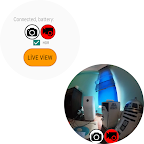
It can optionally show live view while you control your Insta 360 camera.
This is the pro version with following features:
- Live View with gesture control
- Photo Capture
- Video Capture
- Battery Level Display
- HDR and Normal (photo & video) capture options
There is also a basic (free) version which only provides ability to get a photo capture and live view.
The app is tested on Samsung Galaxy Watch 4 with Insta 360 X2 camera.
Please use & test the free basic version with your Wear OS watch and Insta camera before purchasing the pro version.
Store Access to Basic version:
https://play.google.com/store/apps/details?id=com.aktuna.gear.watchcontrolforinsta360
Here are videos showing full functionality of pro and basic versions:
pro:
https://www.youtube.com/watch?v=Ij2RMVQeUcE
basic:
https://www.youtube.com/watch?v=bsXfalNQfyw
IMPORTANT note for wifi connectivity issues with differen watch brands/models:
For the app to control your Insta 360 camera, your watch should be able to conneect to the camera's wifi connection. (SSID ending with .OSC and password is usually 88888888 for various Insta 360 cameras, at least correct for One X2 and One R)
Some watch models do not support 5 Ghz wifi, and the cameras mostly use 5 Ghz. In such case, you have to force the camera to 2.4Ghz wifi.
You can find information about this if you search like "How can I force Insta 360 camera to 2.4 ghz wifi only".