You might like:


About this App
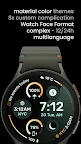
Complex & highly customizable watch face. Inspired by Active from Pixel Watch 3.
Only for Wear OS 4+ devices
// Not suitable for rectangular watches
Powered by Watch Face Format
Inspired by Active Watch Face from Pixel Watch 3
amoledwatchfaces.com
BUY ONE GET ONE OFFER!
amoledwatchfaces.com/bogo
CUSTOM COMPLICATION APPS
amoledwatchfaces.com/apps
FEATURES
• Watch Face Format 1,2,3
• compatible with latest Wear OS devices (Galaxy Watch7 / Pixel Watch 3)
• flavors feature support (Wear OS 5+)
• 8 custom complication slots (max)
• includes all complication types - SHORT_TEXT, LONG_TEXT, RANGED_VALUE, MONOCHROMATIC_ICON, SMALL_IMAGE
• ability to add round Favorite Contact / App Shortcut / Now Playing
• phone notifications complication support*
• multilanguage
• 12/24h (h:mm, HH:mm)
• date element with am-pm (12h)
• badge slot (Unread Notification Count, Seconds, Week of Year, Moon Phase, Year, Heart Rate, Google Pay)
• optional 'Radar' style seconds indicator
• unique ambient mode with low OPR & adaptive colors & 4 layouts
• true black background @ optional mesh background
• material color themes
• make it your own, combine theme & subTheme
• tap date to open Calendar
• tap Digital Clock to open Alarm
* requires Phone Battery Complication app
https://play.google.com/store/apps/details?id=com.weartools.phonebattcomp
USER CONFIGURATIONS
• Material Theme (60+)
• Material SubTheme (60+)
• Badge Slot (7x)
• Ambient Mode (4x)
• Radar Seconds (None, CCW, CW)
• Custom Complications (8x)
• Inner Bar Gradients (Toggle)
• Outer Bar Gradients (Toggle)
• Hollow Time AOD (Toggle)
• Mesh Background (Toggle)
Installation and troubleshooting guide
amoledwatchfaces.com/guide
Please send any issues reports or help requests to our support address
support@amoledwatchfaces.com
Join our Telegram group for live support and discussion
t.me/amoledwatchfaces
Newsletter
amoledwatchfaces.com/contact#newsletter
amoledwatchfaces™ - Awf