Featured Banner
Icon

Binary 2.0 Watch Face

© amoledwatchfaces™

4.0 15530

Source: Google Play Store

Category: Lifestyle

Price: Free

Content Rating: for everyone

Requires: Android 1.0+

Released on: 2024-07-02

This App is not yet included in [apkz.com]. You can click the button below to request.

(The more people request, the faster it may be included)

☑ We will notify you as soon as the App is available. If you can't receive notifications, please check back often.

About this App

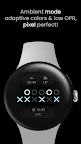
Binary-coded sexagesimal watch face design. Tap to reveal digital clock!
Only for Wear OS 4+ devices

Powered by Watch Face Format

amoledwatchfaces.com

How to read a binary-coded clock?
https://en.m.wikipedia.org/wiki/Binary_clock

Inspired by the face of the main railway station in St. Gallen, Switzerland, designed by artist Norbert Möslang. Time of day indicated on 3 lines in hours, minutes, seconds. Each component of traditional sexagesimal time is represented with one binary number, that is, using up to 6 bits instead of only 4.

FEATURES

• Watch Face Format
• binary-coded sexagesimal time implemented
• 12-24h time mode
• two optional styles - Tic Tac Toe / 01
• three main complications with up to four types
• ambient mode with low OPR & adaptive colors
• true black background
• high res
• material color themes
• tap to reveal digital clock feature
• seconds hint

USER CONFIGURATIONS

• Material Theme (60+ colors)
• Material SubTheme (60+ colors)
• AOD (Dimmed, Time Only)
• Tic Tact Toe Style (Toggle)
• Show Chips (Toggle)
• Custom Complication (3x)

Installation and troubleshooting guide
amoledwatchfaces.com/guide

BUY ONE GET ONE OFFER!
amoledwatchfaces.com/bogo

CUSTOM COMPLICATION APPS
amoledwatchfaces.com/apps

Please send any issues reports or help requests to our support address
support@amoledwatchfaces.com

Join our Telegram group for live support and discussion
t.me/amoledwatchfaces

amoledwatchfaces™ - Awf

Screenshots

I'm not a robot

In order to block spam bots, we push you a notification with the following code. Please click on the notification to complete the verification.


Notifications may be slightly delayed, please wait a moment.

Or if your device is unable to receive notifications, you can also send us an email.

Tips:

Please allow [apkz.com] to show notifications. We will notify you as soon as the App is ready.

Um, Seems that the notification is not available.
Would you like to send requests and receive updates via email?

Tips:

After the download is successful, please use [APKZ App] to install it.


Unable to determine whether the file was saved successfully, please confirm it yourself before installing.

Tips:

Your browser is out of date and some features may not work properly, please change or upgrade your browser.


For a better user experience, it is recommended to use Google Chrome or Edge.

Tips:

If the download cannot be completed, please open this page in your browser.


For a better user experience, it is recommended to use Google Chrome or Edge.

Tips:

This App can only be installed on Android devices.