You might like:


About this App
The child performs physical exercises and gets screen time for the smartphone
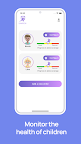
Samson "Parental Health Control" is a parental control for children that allows you to control the screen time of the phone for the safety of children.
The application consists of two types of clients: parent and child. Parents create tasks, and the child performs them. After completion, the child gets additional screen time. It can be morning exercises, jogging, warm-up or something else. We measured the child's pulse before and after completion, if the pulse increased and the child completed the task, then the screen time will increase and the parent will receive a notification.
The Samson Parental Health Control application provides a large set of useful functions that ensure the safety of family health and parental control over the child by phone.
Main functions:
• Blocking any apps that are installed on the child's phone. When the screen time you allow is over, the child will not be able to access games, social networks and other applications.
• Set a schedule for the phone's screen time or limit the use of the phone for family time, set bedtime and study time.
• View your phone's screen time statistics to keep track of your child on the phone.
• Come up with interesting physical tasks. For example, morning exercises will add 30 minutes of extra screen time to your child. Jogging will add another 1 hour. As a result, your child grows up healthy and you don't worry about his excessive use of gadgets.
Install this app on your phone as well as on your child's phone. After installing the app on your child's device, you will be able to remotely monitor the child on the phone. Your child's phone should be able to transmit data over the network to send and receive setup commands and notifications.
The application is designed exclusively for the protection of children. If the application is used for other purposes, the company disclaims responsibility for the consequences.
Feedback:
If you have any problems or questions, you can always contact our support team: bankrot6@google.com
Permissions:
• This app uses the permission of the device administrator so that your children cannot delete the app.
• The application requires the permission of the Accessibility Service, which allows you to block unnecessary applications when the child runs out of screen time. The Accessibility Service permission is also used to detect attempts to delete an application.
• This app uses permission to monitor app usage statistics. So that mv can calculate the amount of screen time spent.
• This app uses the permission to always be on top. This allows the application to work constantly, collect and transmit relevant data about the child to the parent.
Subscriptions:
• Monthly - allows you to use the app for one parent and 3 children
• Annual - Allows you to use the app for two parents and 6 children
• Unlimited - allows you to use the app without restrictions, it can be more than 10 children for any number of parents