
You might like:


About this App
Experience the convenience of a Universal TV Remote Control today!
⭐TV Remote Control for Smart TV is also known as a TV remote control, remote control for TV, universal remote, universal TV remote, or simply TV remote. It is an all-in-one remote control that can operate multiple devices, including smart TVs, cable boxes, DVD players, and home theater systems. With this remote control, you can easily switch between different devices and control their functions using a single device.
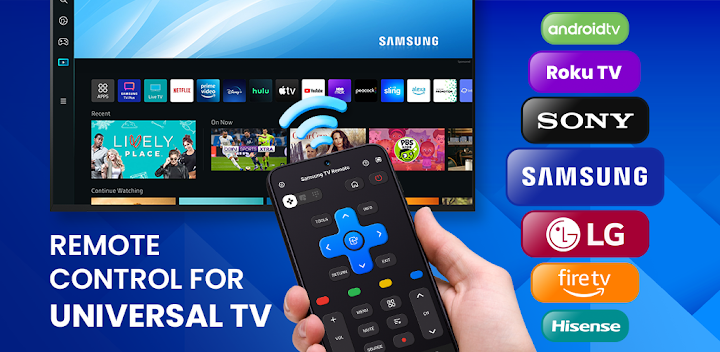
⭐TV Remote Control for Smart TV is also a versatile device that can operate various brands and models of televisions such as Samsung TV, Sony TV, LG TV, Roku TV, Panasonic TV, TCL TV, Fire TV and many more. It is an essential tool for anyone who wants to control their TV without the hassle of using multiple remote controls. The TV Remote Control for Smart TV is a must-have gadget for people who love to watch TV and want to make their life easier.
Main TV Brands Supported by TV Remote Control for Smart TV:
✅ Smart TV remote for Samsung TV
✅ Control remote for Sony TV
✅ Smart TV remote for LG TV
✅ Smart TV remote for Roku TV
✅ TV Remote for TCL TV
✅ Smart TV remote for Fire TV
✅ Control TV remote for Chromecast
✅ Control TV remote for Panasonic
✅ Control TV remote for Philips
✅ Smart TV remote for Android Box TV
✅ TV remote for Xiaomi TV
✅ Remote control for EcoStar TV
✅ TV remote for Toshiba
✅ Smart TV remote for IR Blaster TV and many more
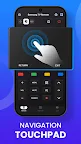
👉Our smart remote control can connects to your TV through wifi or infrared technology. It can also be connected through Bluetooth for easy and convenient control. This remote control is easy to use, and its touch screen interface allows you to control your smart TV effortlessly. You can use it to change channels, adjust the volume, and turn your TV on or off.
⭐TV Remote Control for Smart TV is a programmable remote control that allows you to set up your favorite channels and features. You can customize the remote control to fit your specific needs and preferences. It also comes with a voice remote control feature, which allows you to control your TV using voice commands.
🔥Special functions and even more - Screen Mirroring, Smart Sharing, Screencast. You can Cast Video, Youtube, Photo, Image Online to Smart TV, Chromecast
⭐In addition, TV Remote Control for Smart TV is a wifi remote control that can connect to your home network. You can use it to control your TV from anywhere in your home, as long as you have a wifi connection. This remote control is perfect for people who want to watch TV from the comfort of their bed or couch.
⭐Lastly, TV Remote Control for Smart TV comes with a universal remote control app. This app allows you to control your TV using your smartphone or tablet. With this app, you can control your TV from anywhere, and it offers all the features of the physical remote control.
➡️ Overall, the TV Remote Control for Smart TV is an excellent device that provides convenience and simplicity to your TV watching experience. With its all-in-one features, touch screen interface, and programmable options, you can control your TV with ease. It is a must-have gadget for anyone who loves to watch TV and wants to make their life easier.
Disclaimers: This app is not affiliated with or endorsed by Google or other brands.
If you need any support, feel free to contact us at info@begamob.com