Featured Banner
Icon

Physics Toolbox Magnetometer

© Vieyra Software

4.5 125426

Source: Google Play Store

Category: Tools

Price: Free

Content Rating: for everyone

Requires: Android 5.0+

Released on: 2013-05-04

This App is not yet included in [apkz.com]. You can click the button below to request.

(The more people request, the faster it may be included)

☑ We will notify you as soon as the App is available. If you can't receive notifications, please check back often.

About this App

Displays a graph of Magnetic Field vs.Time graph in x, y, z. Export as a .csv
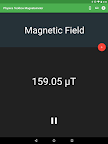
This magnetic field sensor app measures and displays a graph of Magnetic Field (µT) vs. Time (s) that in x, y, and/or z dimensions, as well as total magnitude. By accessing settings, data can also be displayed with a digital read-out.

Total magnitude magnetic field strength can be recorded and exported in an e-mail or through Google Drive as a .csv attachment using a comma or a semicolon as a delimiter. Click on settings to plot data against elapsed time or clock time, to change the plot line thickness, or to change data collection rate. A brief tutorial upon start-up gives an overview of how to use the app.

The magnetic field sensor can measure the background magnetic field of the earth and be used to check for the presence of permanent magnets or electromagnetic fields. Within the classroom, the magnetometer can be used to determine the inverse-square law for a "point source" magnet, to determine the strength of a field produced by a solenoid, or to measure the frequency of objects with magnetic variations, such as audio speakers or magnetic plate stirrers.

Permissions Explained:

android.permission.WRITE_EXTERNAL_STORAGE: A csv file is created and modified on the phone's internal memory.

If you have any questions, comments, or would like to see modifications/updates, please email me at vieyrasoft@gmail.com

Screenshots

I'm not a robot

In order to block spam bots, we push you a notification with the following code. Please click on the notification to complete the verification.


Notifications may be slightly delayed, please wait a moment.

Or if your device is unable to receive notifications, you can also send us an email.

Tips:

Please allow [apkz.com] to show notifications. We will notify you as soon as the App is ready.

Um, Seems that the notification is not available.
Would you like to send requests and receive updates via email?

Tips:

After the download is successful, please use [APKZ App] to install it.


Unable to determine whether the file was saved successfully, please confirm it yourself before installing.

Tips:

Your browser is out of date and some features may not work properly, please change or upgrade your browser.


For a better user experience, it is recommended to use Google Chrome or Edge.

Tips:

If the download cannot be completed, please open this page in your browser.


For a better user experience, it is recommended to use Google Chrome or Edge.

Tips:

This App can only be installed on Android devices.