You might like:


About this App
Stylish and functional SP002 watchface: track your activity and time!
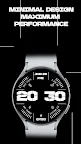
Meet the SP002 Activity Watch Face – the perfect choice for active individuals who value both style and functionality. Designed specifically for Wear OS, this watch face combines modern design with numerous useful features to track your physical activity and maintain a healthy lifestyle.
Key Benefits
Customizable Complications
The SP002 offers two customizable complications, allowing you to personalize the watch face according to your needs. Choose which data to display to always have the most important information at your fingertips.
Step Goal Progress Display
This watch face displays your progress toward achieving your step goals, based on the settings you've configured. This helps you stay motivated and reach new heights in your physical activity.
Battery Level
The SP002 Activity Watch Face shows the battery level of your watch, ensuring you know when to recharge your device and stay connected.
Distance Covered
You can see the distance covered right on your watch face. For example, track how close you are to reaching your daily goal of 10 km, helping you stay motivated and keep moving forward.
Active Calories Burned
The SP002 also displays the number of active calories burned, with a goal of 500 calories. This helps you monitor your physical activity and achieve your fitness goals.
Additional Features
Date and Time
A large and clear display with the date and time makes it easy to check the time and organize your day.
Morning Time
Displaying the morning time highlights your morning activity and helps you start your day productively.
Stylish Design
The modern and minimalist design of this watch face adds elegance to your smartwatch. Clear lines and graphical elements ensure ease of reading and use.
Why Choose SP002 Activity Watch Face?
The SP002 Activity Watch Face is more than just a watch face. It is your personal assistant in achieving fitness goals and maintaining an active lifestyle. With it, you will always know how close you are to completing your daily tasks, and the customizable complications allow you to adapt the watch face to your individual needs.
How to Install
Download SP002 Activity Watch Face from the Play Market.
Set the watch face on your Wear OS smartwatch.
Customize the complications according to your needs and enjoy a new level of control over your activity.
Don't miss the opportunity to enhance your smartwatch with SP002 Activity Watch Face. Download it now and start tracking your activity more effectively and stylishly!
This watch face is designed to provide you with maximum functionality and help you achieve your fitness goals. Download SP002 Activity Watch Face today and turn your smartwatch into a powerful tool for an active lifestyle!