You might like:


About this App
The Smart Crib for babies.
WORLD'S FIRST SELF LEARNING CRIB. It spots early signs of wake-up, learns sleep patterns and automatically soothes your baby to sleep, if needed.
===========
IT'S A BASSINET AND A CRIB - FROM BIRTH TO 24 MONTHS :
Cradlewise provides uninterrupted quality sleep to babies and saves parents an average of 2 hours a day. It combines the functionality of a bassinet, crib, baby monitor and sound machine – all into one product.
GETS THE BABY TO SLEEP :
When it’s time to sleep, simply place your baby in the crib. The crib automatically detects the baby’s wakefulness and soothes them to sleep with its bounce and sound.
GUARDS SLEEP :
Just-in-time soothing is key to safeguarding baby sleep. The crib spots sleep disturbances and soothes the baby back to sleep.
===========
APP FEATURES
BUILT-IN BABY MONITOR. PEACE OF MIND FOR YOU.
NIGHT VISION: See your baby without turning on the lights and disturbing your little one.
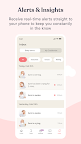
NOTIFICATIONS: Get notified when your baby wakes up, falls asleep, starts crying etc.
LIVE VIDEO: Watch your baby live through your smartphone app from anywhere, anytime.
BACKGROUND AUDIO: Take a break or catch up on other work while listening to your baby in the background.
ROOM TEMPERATURE: The Cradlewise app has a room temperature monitoring feature that lets you quickly check your baby’s room temperature from the home screen, making it easier to to check anytime, anywhere.
ADD CAREGIVERS: We know that new parents already have their hands full. And since it takes a village to raise a child, our caregiver functionality provides you with just that - a virtual village. Add a caregiver and control the level of access.
DARK MODE: Dark mode reduces the brightness level on your phone, and it’s a game changer for minimizing light disruptions at night, especially when you want to check on them at 3am in the morning.
TWIN MODE: Add multiple babies to your profile. Seamlessly switch between baby profiles to manage and view all connected cribs from your single account.
WATCH YOUR BABY’S SLEEP IMPROVE OVER TIME.
DAILY SNAPSHOT: Track your baby’s sleep patterns and stay on top of changes.
SLEEP TRACKING: Track your baby’s sleep data - understand patterns from historical logs to understand your baby’s sleep better.
QUICK TIPS: User guides and tips to help you best adjust your crib’s settings to improve your baby’s sleep.
CURATED SOOTHING MUSIC
BUILT-IN SOUND MACHINE: Curated white, pink and brown noise tracks to calm a fussy baby. Option to create your own soundtrack.
BABY SAFE VOLUME: Smart mode stops sound when the baby has fallen asleep. Sound volume is capped to 60dB to be safe for your baby.
STREAM MUSIC OVER SPOTIFY TO THE CRIB: This feature allows you to turn your cradle into a speaker by enabling you to pair your crib with the Spotify app. You can curate a Spotify playlist for your little one and can play your favorite pop songs, lullabies, nursery rhymes, soothing sounds, or whatever they’re into, from wherever you happen to be.
===========
LET’S BE SOCIAL:
Instagram: https://www.instagram.com/cradlewise/
Facebook: https://www.facebook.com/cradlewise/
Blog: https://www.cradlewise.com/blog/
Medium: https://medium.com/cradlewise
Have questions? Feel free to contact us at info@cradlewise.com
Visit our website https://www.cradlewise.com/ to know more.