You might like:


About this App
Organize your private notes and meeting minutes just after calls!
Explore the perfect solution for managing daily tasks and capturing creative ideas with our Notepad-Memo, Sticky Notebooks app. Designed to act as your personal scribe and digital binder, this app is ideal for organizing everything from private notes to secure notes effectively.
Key Features of Our Secure Notepad App:
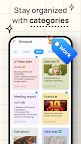
Efficient Organization: Utilize our app as your digital binder to categorize and organize tasks and secure notes, keeping everything structured and accessible.
Detailed Meeting Minutes: Easily record and review meeting minutes, ensuring that no critical details are missed, which makes this app an essential tool for scribes during discussions and decisions.
Idea Notes: Structured Notepad shows an aftercall enabling you to identify incoming calls as they happen so you can manage daily tasks, capture creative ideas, save your meeting minutes immediately after the incoming call. This enables users to seamlessly capture and save their ideas and tasks just after calls.
Private and Secret Notes: Protect your private notes and secret notes with robust password protection, ensuring that your sensitive information remains confidential.
Dynamic Outliner: Sketch and plan your projects with our intuitive drawing feature, perfect for outliners who need visual planning aids.
Sticky Notes for Quick Reminders: Create and manage unlimited sticky notes on your home screen for rapid reminders and notes.
Secure Sync and Backup: Never lose important information again. Sync your secure notes and meeting minutes seamlessly with Google Drive for reliable backup.
Customizable Interface: Personalize your secure notes experience by selecting from various themes and colors, making your digital binder vibrant and inspiring.
Quick Access to Important Tasks: Pin crucial tasks or secure notes to the top of your list, add shortcuts to your home screen, and use widgets for instant access to your most important notes.
Enhanced Multimedia Capabilities: Add images or record audio to enrich your private notes and meeting minutes, making them more detailed and comprehensive.
Effective Search and Archive: Locate specific secure notes and meeting minutes quickly with our search function, and archive old meeting minutes and notes to keep your digital binder organized.
Why Choose Our App for Your Note-Taking and Organizing Needs?
Comprehensive Document Management: From organizing private notes with passwords to capturing detailed meeting minutes, our app is designed to handle a variety of documentation needs securely.
Accessibility: Always have your meeting minutes, private notes, and secure notes handy, perfect for users who need consistent access to their organized data.
Continuous Innovation: We constantly improve our app based on user feedback, ensuring you benefit from the latest advancements in organizing and securing digital notes.
Install our Notepad-Memo, Sticky Notebooks today and revolutionize the way you organize, secure, and manage your meeting minutes, private notes, and other important information.