
You might like:


About this App
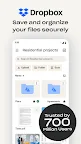
Share files & memories safely. Keep your photos and videos secure.
Dropbox allows you to backup your most essential files to the cloud, where you may access them at any time and from any location! Over 700 million registered users and 600,000 teams rely on it. Simple to use, trustworthy, private, and secure!
Features:
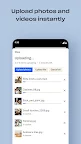
• Automatically upload photos and pictures from your camera roll to cloud photo storage for easy photo sharing ready to send anywhere.
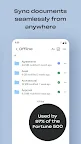
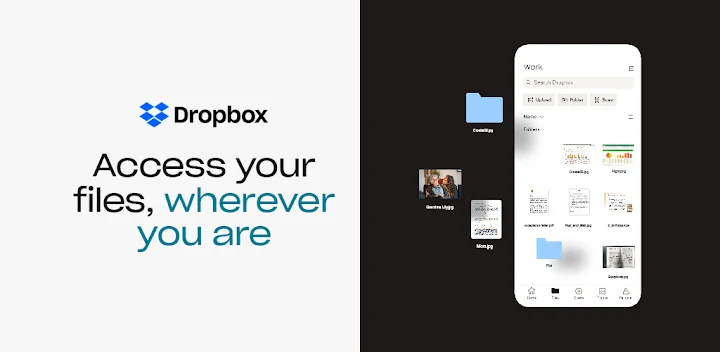
• Access any file in your account—even offline—and preview over 175 different file types with no special software required.
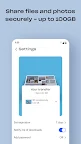
• Easily send large files by sharing a link with anyone, even if they don’t have a Dropbox account.
• Photo transfer app: easily save photos to the cloud or transfer photos from your cloud storage app.
• Scan documents, receipts, IDs, photos, and more using your mobile device and transform them into high-quality PDFs, so you can view and send them anywhere.
• Sync folders on your PC or Mac to Dropbox with computer backup, and recover older versions or restore deleted files with version history and file recovery.
Cloud storage & drive photo storage gives you extra space to backup, upload, share, and scan & we transfer photos or files to the cloud for you! An easy backup and data vault with safe access to your private or shared files. Today you can easily manage and share family albums, video albums, and more.
Sign up now for your free Dropbox Plus trial. Get 2 TB (2,000 GB) of storage space!
New features on the Plus plan:
Dropbox Passwords: store and sync passwords across all your devices
Dropbox Vault: secure your most sensitive documents and photos
Dropbox Rewind: roll back any file, folder, or your entire account, for up to 30 days
Before completing payment, you’ll see the plan price. This amount will be charged to your Google Play account and will vary by plan and country. Dropbox subscriptions purchased in-app renew monthly or yearly, depending on your plan. To avoid auto-renewal, turn it off at least 24 hours before your subscription renews. You can turn off auto-renewal anytime from your Google Play account settings.
Dropbox is a secure cloud & drive solution leader trusted by Fortune 500 companies for their most sensitive data. Over 14 million paid users choose Dropbox because they know they can count on a company that’s also dedicated to their security and privacy—no matter what they do or where they are. Let Dropbox be your all-in-one file storage, file organizer, file transfer, and file sharing solution for all your devices.
We’d love to hear from you! Join the Dropbox community: https://www.dropboxforum.com
Terms of Service: https://www.dropbox.com/terms
Privacy Policy: https://www.dropbox.com/privacy