You might like:


About this App
All-in-one PDF tool: translate, read PDF, view, sign and edit PDF, scan to PDF.
All-in-One PDF Scanner - Document Scanner App!
This simple, powerful scanner app transforms your mobile device into a to quickly scan documents. Whether you want to scan document, edit PDF, convert image to PDF, convert PDF to image, or add watermark to PDF, this app handles it all - fast and effortlessly.
Now, you can use PDF Scanner - Document Scanner App to scan, import, and convert documents and images, and share as PDF or JPG with just one click.
Why choose this PDF Scanner - Document Scanner App
Quickly Scan Anythinng to PDF
With a single tap, you can instantly scan and convert all types of documents - receipts, notes, invoices, photos, business cards, certificates, whiteboards, and more. This PDF Scanner app uses the camera on your mobile device to scan and digitize all kinds of paper documents.
Convert Image to PDF and PDF to Image
Effortlessly switch between image and PDF formats right from your device. You
Convert image to PDF so easy - ideal for reports, photo albums, or scanned notes. Need to extract visuals from a document? Easily convert any PDF page into high-quality JPEG or PNG images
Merge and Split PDFs : Total Flexibility
Easily combine multiple PDF files into one organized document or split a large PDF into smaller. Whether you want to merge, slipt, or rearrage a PDF file, this Document Scanner app gives you support to structure your PDFs the way you need. Suitable for organizing your documents, decluttering file folders, and keeping everything neat and searchable.
Sign and Edit PDFs On the Go
Quickly add your electronic signature to any PDF, no printing or scanning needed. Whether you need to sign PDF, edit PDF or document, this feature makes it effortless. Just import your signature and place it with a tap. Easily generate and send documents with your e-signature on your mobile device.
Watermark Protection for Your PDFs
Secure your documents by adding custom watermarks with ease. You can personalize text or image watermarks by adjusting the size, color, transparency, and position. Whether you're sharing reports, proposals, or confidential files, watermarking helps protect your content from unauthorized use and reinforces your brand or ownership.
Powerful PDF Reader and Manager
Easily open, view, and manage all your PDF files in one place. Quickly find what you need and keep your PDFs organized for work, study, or everyday use.
One-Tap Sharing with PDF Scanner App
Share your scanned documents instantly via email, messaging, or social media with just one tap.
OCR (Optical Character Recognition)
This document scanner app uses advanced OCR (Optical Character Recognition) technology to accurately detect and extract text from images or paper documents, allowing you to copy, edit, search, and share the content with ease.
Read and Annotate PDF Files
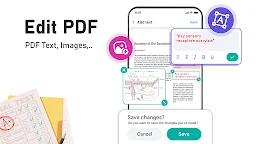
Easily open and read PDF documents with smooth navigation and clear layouts. Highlight text, add comments, underline, or draw directly on your PDFs - perfect for reviewing, studying, or marking up important files on the go.
You can use PDF Scanner - Document Scanner to:
- Scan business cards, receipts, invoices, and other office documents for efficient record-keeping.
- Scan ID Card, Passport, Driver License, and other important certificates.
- Protect your files by adding custom watermarks.
- Quickly add electronic signatures to any PDF document
- Convert image to PDF or extract PDF to text with ease
- Merge multiple PDFs or split large files in seconds for better organization.
Simplify your document workflow with PDF Scanner Reader - smart, secure, and built for productivity.