You might like:


About this App
Note-taking & markup for study
「Flexcil for Edu」 is the app that is for educational institutions. 「Flexcil for Edu」 offering full features of Flexcil.
Experience the best note-taking app loved by 8.0 million users!
§ Whether you’re doing online classes, creating lecture notes, reading documents, editing pages from textbooks or taking faculty notes ー use Flexcil! It’s the #1 PDF reader & note-taking tool for any Android device.
§ Simply highlight by pen gestures and capture images and text on the note by pen gestures! Save time writing on the board by gestures whenever you are doing the class or take notes.
§ Loved by Apple Editors - Editor's Choice, App of the Day, Note-taking on the next level, College Life, Apple Pencil Enhanced, New Apps We Love, Noteworthy Apps & Game, Productivity Boost for teachers
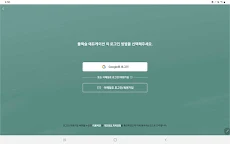
Flexcil for Edu to work, your school's domain must first be enabled.
WE GOT ALL YOU NEED FOR THE CLASS
- You can view digital textbooks, and any other the class resources easily and quickly
- Writing on a board while viewing class resources
- Zoom to read small text
- Doing online classes by connecting Zoom and any other online communication tools.
- Easily annotating on the submissions by connecting Google Classroom.
- Features make your class more effectively: Laser pointer, dictionary/web search, shape/straight line correction, and etc.
ALL IN ONE NOTE TAKING
- Edit PDF pages
- Annotate almost anything
- Endless pen colors, sizes, and fonts
- Seamlessly highlight and underline text with GESTURE
- Summarize and organize your thoughts, texts and notes
- Instantly open any PDF for reading and studying
- Organize and manage your books AND notes
EASY AND INTUITIVE
- Drag and paste text flawlessly
- Add text and annotate with ease
- Smooth Image selection
- Reading and pen gesture mode - FLEXCIL EXCLUSIVE
- Search the dictionary for any definitions you need
- Improved the tiring, old-fashioned way of writing which results in wrist/palm pain
TAKE BETTER NOTES
- Hundreds of colors and pen stroke sizes
- Colorful covers & templates
- Proven to boost productivity & happiness
MULTITASK
- Use Flexcil while other apps are open - Open the web page or any other app you need while writing
- View/Edit 2 PDFs at once
- Advanced viewing: full screen view, vertical scroll, 4-page view, and so much more
COMPATIBLE WITH :
- Zoom
- Google Classroom
- Google Drive
- Dropbox
- Box
- iCloud
- Notes
- Digital textbooks
- ebooks
- PDFs
- and more!
Stylus
- Simulate real-life note-taking by using your Stylus Pencil - easy to use for all ages
- Guaranteed ZERO touch malfunctions
Take your smart education to the next level with Flexcil.
Download the most comprehensive, easy to use, and innovative study tool on the Google Play Store today!
Support: https://support.flexcil.com
Website: https://www.flexcil.com
Twitter: https://www.twitter.com/flexcil
Facebook: https://www.facebook.com/flexcil
Youtube: https://www.youtube.com/channel/UCjro4WpiFnxqKxAXQmASNwg