You might like:


About this App
Cut songs, sound, ringtone or whatever sound formats with ultimate Music Cutter!
✂️ Cut Songs, Sound, and Ringtones with Music Cutter - Ringtone Maker! 🎵
Fantastic sound editor and audio cutter - Music Cutter app. Enjoy using our audio trimmer and ringtone maker with all the valuable features you desire in a Music Cutter app.
Discover why this is the most potent sound editor tool.
🔥 Music Cutter - Ringtone Maker! 🔥
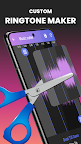
With Music Cut - an audio trimmer, you can make custom ringtones. You can easily create ringtones and notification sounds using the ringtones maker features. Our ringtone maker can create custom ringtones to make your phone more unique. It supports personalized ringtone cutting and can cut music with this MP3 cutter and ringtone maker.
🎼 Start using MP3 Cutter & Audio Trimmer Now! 🎶
🎧 This sound editor has a simple but attractive design. Also, it's effortless to use our Music cutter. You can easily cut music and use a sound editor to create your ringtone, alarm, or notification sounds.
🎵 Ringtone Maker - Select your favorite song, choose the best part of the song you like and save it. Listen to it with a music player before cutting and set the edited file as a ringtone for every contact.
🎵 MP3 Cutter & Audio Trimmer.
Use the Music Cutter app's audio trimmer function, and you can easily cut music, cut song, or cut music to ringtone. It's an audio cutter, song cutter, MP3 cutter, and ringtones maker all in one!
Song cutter the ultimate ringtones maker: Quickly cut music and create beautiful and unique ringtones.
Audio Trimmer: ringtone maker extract audio fast and easy.
Fine Adjustment: You can manually adjust to cut music or zoom waveform to cut music accurately. It's a good wave editor.
⚡ Main functions:
- List all songs, ringtones, and alarms available on your phone; you can select songs easily.
- Find a song on your device according to its name or the singer's name.
- Find songs by using the folder browser. It will show all folders which have sound files on your phone.
🎵 Ringtone Maker - Simple and easy to use:
+ Display sound in the waveform, zoom in and zoom out, and cut music quickly from the part of the song you like.
+ Show the full details of the song: name of the song, name of the artist, length of the song.
+ Listen to the song before cutting.
+ Playback the song.
+ Music to ringtone - Cut music and save it into song, ringtone, or alarm sound format.
- You can set a song as your default ringtone or ringtone for a random contact in your contact list.
- Share favorite songs with your friends and your relatives.
- Delete a song if you want.
- Mp3 cutter and recorder with many options.
- Music player is also included.
🔊 Powerful Ringtones Maker extract audio to ringtone. With this fantastic ringtones maker extract audio, you can cut music and cut every part of your favorite ringtone. The powerful ringtones maker contains so many functions. Come and explore what this ringtones maker can bring to you!
✂️ Audio Cutter, Audio Trimmer, and MP3 Cutter all in one place. Modern and Easy to use user interface to precisely cut the best part of your audio! This music cutter allows you to cut any sound format you can imagine ( mp3, wav, FLAC, m4a, aac, Ogg, and more).
🎧 Want an Audio Cutter to Cut the best part of your audio and save it as your Ringtone, Alarm, Music File, Notification Tone, you name it. Then, You are in the right place! Download our music to ringtone and enjoy!