You might like:


![Magnifier & Microscope [Cozy] 's icon](https://img.apkz.com/gpi/d4aBMNK0YMNJf8Ua4icPNDGw3Ho2LAVn1nTNSkM2uAq1qClaLxROK4y2hOSxhfpRHXPx?w=96)


About this App
Measuring tape, AR Ruler, distance measure, Floor plan, Scan Home design, ARCore
AR Ruler app uses augmented reality technology (AR) to tape measure room, home, house, homescapes with your phone camera. Target aim on the detected plane and start to use AR tape measurement tool. Try to room scan and floor plan your house with a new computer technology.
iPhone lidar scanner & iPad lidar version:
https://itunes.apple.com/us/app/ar-ruler-app-tape-measure/id1326773975?mt=8
1) AR Ruler app – allows to tape measure linear sizes in cm, m (meter), mm, inches, feet, yard.
2) Distance meter – allows to tape measure distance from device camera to a fixed point on the detected 3D plane.
3) Angle – allows to tape measuring corners on 3D planes.
4) Area and Perimeter – allows to tape room measurement and area of the house.
5) Volume scanner – allows to tape measure size of 3D objects.
6) Path scan – allows to calculate the length of the photo path.
7) Height measure – allows to tape measure height relative to the recognized surface.
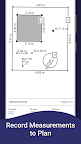
8) Room Planner and Home Design – generates a room plan projection for drawn objects and exports the floor plan to PDF format.
9) On-screen Ruler app – measuring small objects directly on the phone screen.
10) Photo measure app.
Need to measure room with phone, scan room in 3D, or calculate wall area in seconds? With the AR Ruler app, you can use AR ruler app to measure height with camera, measure distance in AR, and scan objects with lidar for accurate results. Quickly create floor plan AR, measure furniture size, and design home in AR using your phone. This smart tool helps you get room dimensions, calculate area fast, and measure space accurately anytime, anywhere.
Try AR Ruler app now and make your little homescapes – we’d love to hear your feedback!
Note:
Please note that AR Ruler app requires ARCore (aka lidar iOS) library produced by Google. ARCore is constantly improving, which, in turn, positively affects the room scanner quality and photo measurements accuracy of AR Ruler app in units of measurement such as cm, m (meter), mm, inch, feet, yard.
Follow us!
Twitter: https://twitter.com/grymalaofficial
Instagram: https://www.instagram.com/grymala_official/
Pinterest: https://www.pinterest.com/grymalaapps/
LinkedIn: https://www.linkedin.com/company/grymala/
Customer Support:
Should you have any questions about Augmented Reality Ruler app or need help, please do not hesitate to contact us via developer email: support@grymalaltd.com.