You might like:


About this App
Automate tasks with Auto Clicker!
Auto Clicker Assistant: Your Ultimate Auto Tapper App!
Introducing the Auto Tapper App, the all-in-one Macro Touch Recorder solution for your automation needs. This Auto Clicker Automatic Tapper is your go-to assistant for repeated touches. Say goodbye to complexity and hello to effortless automation with Autoclicker For Games!
🎮 Auto Clicker Automatic Tapper Key Features: 🎮
🤖 Record Mode Auto Tapper App - No Root required;
🔗 Combination Mode Auto Tapper App;
🖐️ Manual Mode Touch Recorder;
🚀 Macro Click Assistant;
🎮 Autoclicker For Games;
📱 Auto Clicker For Roblox Mobile;
🤖 Record Mode for Touch Recorder:
Record and reproduce your touch inputs, including system actions like back, menu button, apps button, and taking screenshots using the built-in navigation bar. Click Assistant: Touch Recorder records tasks without requiring root access!
🔗 Combination Mode for Auto Clicker Automatic Tapper:
Auto Clicker Automatic Tapper connects recordings together using combinations with advanced settings for speed, delays, and repetitions. Customize your automated tasks with precision using the Auto Clicker Automatic Tapper.
🎮 Manual Mode for Macro Auto Tapper App:
With manual mode, you can take control of clicking in apps and games. Select points on the screen, specify actions like tap or swipe, and let the magic happen! Enhance productivity with Autoclicker For Games Tasker plugin. Create custom automation flows in Tasker or MacroDroid like never before, utilizing the power of the click assistant to streamline your mobile experience.Experience Effortless Automation with Click Assistant: Clicker App!
Get ready to revolutionize your Android experience with Auto Clicker For Roblox Mobile. Whether automating tasks, optimizing gameplay, or enhancing productivity, this Touch Recorder app is your ultimate assistant. Download the Clicker App today and experience the future of mobile automation! 🤖📱✨
This app uses Accessibility Service API to provide the following features:
- perform touch gestures on the screen: single-touch and multi-touch gestures
- perform navigation actions: back action, home action, recent apps action
- performing screenshots by using take screenshot action
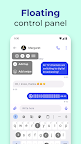
- displaying floating widgets across the device screen
Data accessed through AccessibilityService API:
Using accessibility service API, the app displays a floating window with a view attached that captures touch input and its details: X and Y coordinates of touch, the count of fingers used to perform touch, and its duration. This data could be saved if you, the user, decide so. Saved data reproduces your touch input later on your demand using Accessibility Service API.
The data described above is not shared with any third party and stays locally on your phone unless you, the user, decide to export the data outside the app using the export option. Exporting is saving the touch-related data (x and y coordinates, finger count, touch duration, repeat count) to an external file in the directory indicated by you, the user.