You might like:


About this App
PDF converter & PDF editor: read and annotate PDF, e-sign, sync with CamScanner
The CS PDF mobile app, powered by CamScanner, is an all-in-one PDF tool. It's a PDF reader, PDF editor, PDF converter, and PDF scanner. Easily convert PDFs to Word and other formats with this app. You can also convert images, Excel, and PPT files to PDFs for free. CS PDF is compatible with Microsoft, Google, and Adobe files.
Completely free, this PDF tool is well-designed and easy to use, perfect for working on the go, from your mobile, for online study, and for travel. Supports 10 languages.
CS, CS PDF, and CamScanner
● CS PDF and CamScanner are developed and published by CS. CS PDF is powered by CamScanner.
● CamScanner is a scanner app installed by more than 1.5 billion people around the world. You can sync files between CamScanner and CS PDF.
A brand new PDF scanner to quickly scan paper documents!
● Easily use your device's camera to scan paper documents, or import files directly from your gallery.
● Automatically remove unnecessary backgrounds and trim edges during the scan.
● High-definition scanning mode is available.
Your Pocket Folder: Not just a PDF reader, but also supports reading documents in all formats!
● Import all the PDF files on your phone to CS PDF and create folders to organize them — no more worries about losing files!
● Read PDF files online or offline, anywhere and anytime.
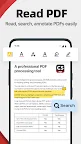
● Search PDF files by their content and annotate documents easily.
● Zoom in or out of PDF pages, and ensure a high-resolution PDF reading experience.
● Supports single page view and continuous scrolling reading modes.
A more convenient way to handle work files, such as contracts
● Use CamScanner to scan hard copy paper contracts and sync them to CS PDF.
● Use CS PDF to add e-signatures and adjust their size and placement.
● Merge multiple PDF contracts with just one tap.
● Highlight, underline, or strike-through text to accentuate PDF content.
● Share PDFs, Word documents, images, or other types of files via social media, emails, and other such platforms, or for printing.
The best PDF converter
● Convert image, Word, Excel, and PowerPoint files into PDF files.
● Convert PDF files into image, Word, Excel, and PowerPoint files.
We look forward to hearing from you! Contact us via cspdf@camscanner.com