
You might like:


About this App
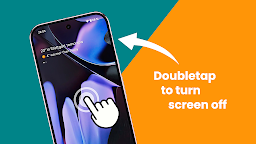
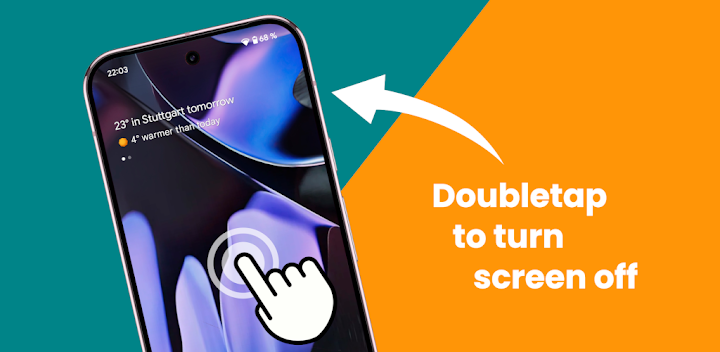
Doubletap to turn screen off / lock! Enable Always on Display on notifications!
Unlock the full potential of your phone with this exclusive app!
Pixel ToolBox app introduces features like double tap / doubletap to turn the screen off / lock screen without a screen off widget, enable the always on display on new notifications, adds a close / clear all apps button directly to front of recent apps panel, fingerprint unlocking when the screen is off, a customizable ringer mode tile, and an innovative camera launcher system—optimized exclusively for your device!
Key Features of Pixel ToolBox:
• Double Tap to Turn Screen Off: Forget the power button and instantly turn your screen off / lock screen with a simple double tap / doubletap, whether you're on the home screen or even on lock screen. ToolBox adds a double tap detection to your homescreen or lockscreen. With a screen off widget you have to tap on the widget, with ToolBox you can just tap anywhere on homescreen to turn screen off / lock screen. No need to press the power button when you device lays flat on a table. Just tap the phone to wake the screen and double tap / doubletap to put the device to sleep and turn screen off. Forget screen off widget's and try Pixel ToolBox!
• Enable Always On Display / AOD Pixel ToolBox now allows you to enable the Always On Display / AOD automatically for new notifications or enable the AOD when your device is charging with it's build in Always On Display / AOD. Stay updated with essential notifications at a glance, with the convenience of Always On Display / AOD.
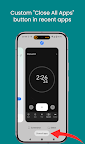
• Close / Clear All Apps Button You can now close / clear all apps directly from the front of the recent apps panel. ToolBox tuner adds a "Close All Apps" or "Clear All Apps" button directly to the front of the recent apps panel on the system ui!
• Unlock with Fingerprint When Screen is Off: No need to wake your screen first. Effortlessly unlock your device using the fingerprint sensor, even when the screen is off. Enable an always visible fingerprint indicator, so you exactly know where to place your finger.
• Ringer Mode Tile: No need to press the volume rocker to change ringer mode. Now you can quickly toggle between sound, vibrate, and silent modes using the custom ringer mode tile for convenient launch from quick settings. Choose between android an iOS ringer modes as you prefer.
• Camera Quick Launcher : Capture the moment faster with the camera quick launcher feature. Just hold your phone in portrait or landscape after turning on the screen, to launch the camera and you’re ready to snap pictures instantly.
Features:
• Double tap / doubletap to turn screen off
• No screen off widget needed
• Screen off / Lock screen
• Enable Always On Display on notifications
• Enable Always On Display while charging
• Always On Display / AOD
• Add "Clear All Apps" button to recent apps panel
• Fingerprint unlock from screen off
• Custom ringer mode tile
• Camera quick launcher
Upgrade your phone experience with Pixel ToolBox!
Disclosure:
The app uses the AccessibilityService API to detect the home screen and allow the user to turn screen off with a tap on screen.
No data is collected or shared using the AccessibilityService API!