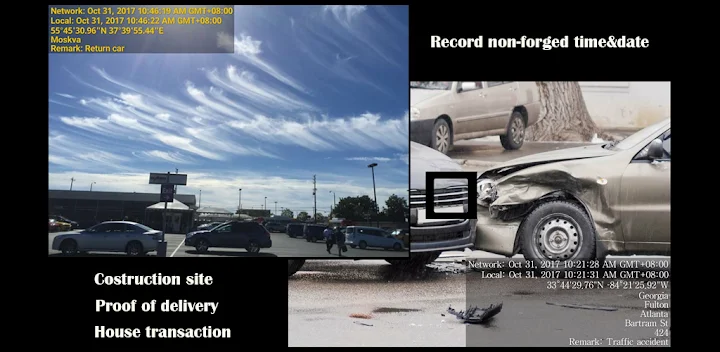
Featured Banner
Icon

Timestamp Camera EnterprisePro

© Bian Di

4.4 7661

Source: Google Play Store

Category: Photography

Price: USD 9.99

Content Rating: for everyone

Requires: Android 1.0+

Released on: 2017-10-30

[apkz.com] do not include Paid App , please go to Google Play to buy it.

(The more people request, the faster it may be included)

☑ We will notify you as soon as the App is available. If you can't receive notifications, please check back often.

About this App

Add date&time watermark to photo&video that can't be forged
This app can add non-forged date, time, location and GPS watermark on photo and video. By getting the current time from the network, the photo and video will still have a real time watermark even if the user changes the phone time.
This app can be used in a variety of occasions which need real time and location, such as the work report of the construction site , traffic accident scene, goods transfer, private detective work, evidence of borrowed items and so on.

The main features:
● Add the current date, time, GPS and address watermark when taking photo or video.
- Supports change font, font color, font size.
- Supports set timestamp in 7 positions: top left, top center, top right, bottom left, bottom center, bottom right,center.
- Supports auto add address and GPS.
- Supports input and display custom text on camera.
- Supports change opacity of text and text background.

● Supports import logo image to display on the camera. Can change the position, size, margins and transparency of the logo.
● Supports change video resolution.
● Supports power saving mode of black screen.
● Supports record video without audio.
● Can pause and continue record fragments to one video.
● Can toggle camera when recording.
● Supports portrait and landscape.

If you have any questions or suggestions, please email to cybfriend@gmail.com. Thank you.

Screenshots

I'm not a robot

In order to block spam bots, we push you a notification with the following code. Please click on the notification to complete the verification.


Notifications may be slightly delayed, please wait a moment.

Or if your device is unable to receive notifications, you can also send us an email.

Tips:

Please allow [apkz.com] to show notifications. We will notify you as soon as the App is ready.

Um, Seems that the notification is not available.
Would you like to send requests and receive updates via email?

Tips:

After the download is successful, please use [APKZ App] to install it.


Unable to determine whether the file was saved successfully, please confirm it yourself before installing.

Tips:

Your browser is out of date and some features may not work properly, please change or upgrade your browser.


For a better user experience, it is recommended to use Google Chrome or Edge.

Tips:

If the download cannot be completed, please open this page in your browser.


For a better user experience, it is recommended to use Google Chrome or Edge.

Tips:

This App can only be installed on Android devices.