You might like:


About this App
Childcare Management App and Software: Daily Sheets, Sign In-Out and Billing
Why Procare?
For more than 30 years, Procare Solutions has been helping early childhood educators simplify operations and create meaningful connections with families, so they can focus on what matters most – the children in their care.
Leverage professional communications with the easy-to-use child care mobile app and the opportunity for real-time updates from the classroom to enhance the parent and staff experience.
· Share child care activities and daily reports
· Streamline two-way family communications
· Share photos and videos
· Record and share student milestones
· Send and view news and events via easy-to-create newsletters
Procare includes:
CONTACTLESS SIGN IN/OUT : Parents can sign in-out students contactless using QR code or Curbside GeoLocation.
STUDENT ATTENDANCE: Replace paper sheets with digital SIGN IN-OUT. Record student attendance, absences (add notes) and transfer to different rooms. Generate BEST industry standard reporting from our website to satisfy childcare LICENSING needs. (Also has OFFLINE MODE to run without network)
PARENT KIOSK: Parents can drop off and pick up children easily (optional use of a 4-digit pin). Record SIGNATURES and capture answers with DROP-OFF form. Charge payments based on their HOURLY attendance and collect LATE FEE.
STAFF TIMECARD: Staff can CHECK-IN from the app using 4-digit pin. Build REPORTS of their timecard from website for PAYROLL.
TRACK RATIOS: Always be licensing-compliant. Track ratios in real time from the app for all your rooms.
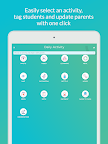
PHOTOS and VIDEOS: Send any number of photos and videos, and tag students with one click on our child care app. Unlimited storage and sent to parents with one tap.
LEARNING: Record custom student activities and attach development skills like fine motor, social behavior, language and more.
DAILY SHEETS: Send daily activities for infants/toddlers and record Diapers, Bottles, Naps, Meals and Bathroom visits. Reports are sent to parents automatically.
BILLING: Create and send invoice to parents easily. Manage all billing transactions, payments, refunds and credits from the app.
INCIDENTS: Record all information related to any student incidents, send the report to parents and get their signature.
CALENDAR: Share upcoming events with parents easily for any day and month.
FAMILY COMMUNICATION: You can send a message, text or email to parents or guardians instantly. Have their phone number and call if needed.
MANAGE CENTER: Keep your entire student roster and family database in your fingertips.
REPORTS: Detailed reports for everything you do is available from website for student attendance, staff timecard, billing and entire roster.
INTEGRATIONS: Procare integrates seamlessly with all major SIS (student database) systems, QuickBooks (accounting systems), payroll systems and much more.
Complete child care management and daycare software features, e.g., student / family information, immunizations, reporting and more.