You might like:


About this App
Unlock color inspiration, easily manage and explore your color treasure trove
[Application Overview]
A color exploration and selection tool designed for color lovers, designers and ordinary users. It provides a variety of color picking methods, including camera color picking, screen color picking, image color picking, etc., as well as a rich color format selection and conversion function, aiming to help users easily control colors and inspire unlimited creativity.
[Main functions]
1. Color picker and palette
- Supports multiple color format selections such as RGB, CMYK, HEX, LAB, HSL, HSV, YUV, etc.
- Users can select colors by touching the color selection board, or obtain colors through camera, screen, picture, color card, input, paste, random, name search, etc.
- Provide alpha color transparency drag and input change functions, and accurately switch the color picking board.
2. Camera color picking
- Use the camera function to automatically obtain the color value of the camera center position to achieve visual color recognition.
- Support single-point and multi-point color picking, real-time color name, so that users can quickly capture the required color.
3. Screen color picking
- Open the color picking floating tool window, drag the window to extract the color of any application interface.
- Support one-click copy and share operations on the desktop, so that users can share colors between applications on different platforms.
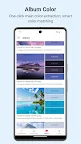
4. Image color picking
- In the image color picking interface, touch and drag to accurately identify the pixel-level color of the image.
- After obtaining the main color of the image, give a color scheme based on the color of the image to help users create.
5. Color details and conversion
- Provide color details in multiple formats of color space, support self-service conversion of multiple color relationships such as gradient color, complementary color, contrast color, and inverted color.
- Support mutual conversion between multiple color formats such as HEX/RGB/CMYK/XYZ/LAB/HSV(HSB)/HSL(HSI)/YUV/Y'UV/YCbCr/YPbPr to meet different user needs.
6. Color matching and color adjustment
- Built-in multiple sets of gradient color and complex color schemes, support user editing and preview.
- Supports adjustment, generation, and saving of gradient color schemes, including code generation of gradient color schemes such as XML, CSS, and SHAPE.
- Supports users to mix colors (colorants) online, automatically calculates color formula ratios, including mixing and splitting of three primary colors and CMYK, and adjustment of the ratio of RGB optical primary colors.
7. Quick Color
- Built-in multiple sets of monochrome schemes, including color cards, Android\IOS system colors, Chinese traditional colors, Japanese traditional colors, web safe colors, etc.
- Supports quick input editing, collection, and other operations for picking colors on the home page.
8. Color Name
- Built-in system color and natural color naming methods.
- Supports you to define and use any set or use the above naming methods at the same time.
- Supports positive and negative color name queries to facilitate users to identify and use colors.
9. Other functions
- Intermediate color query: Quickly query the intermediate color value of two colors.
- Color difference calculation: Supports calculation of multiple color difference formats, such as ∆E76(∆Eab), ∆E2000, etc.
- Color contrast: Quickly calculate the contrast between two colors.
- Inverse color calculation: Quickly calculate the inverse color of a color.
- Random color generation: Randomly generate color values, and users can click to collect and query.
[Application Features]
1. Fresh and simple interface: Adopt a fresh and simple interface design to immerse users in the world of colors and enhance the user experience.
2. Color memory function: Provide a powerful color memory function to help users easily manage and use common colors.