
You might like:


About this App
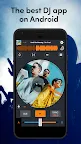
Mix, scratch and share on-the-go with the perfect DJ app!
Cross DJ is the perfect app to mix and perform DJ sets on the go!
💿📀 MIX AND PERFORM LIVE
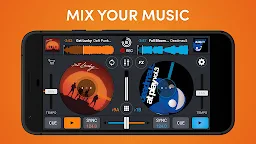
• Start your mix with the essential 2-deck DJ setup
• Easily import and sort your music library by title, artist, album, BPM or length
• Shape and resample your sound in real-time with Pro-grade FXs
• Play with over 70 one-shot samples and 12 loops
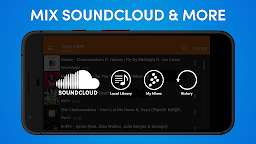
• Access your Soundcloud library to mix all the latest bangers
• Synchronize your tracks with the most accurate Waveform view
• Customize your setup with the color of your choice
• Set the view to portrait mode for easier access while on the go
• Record your mix & share it with the world! (Soundcloud etc.)
🔊🎶 OUTSTANDING AUDIO ENGINE
• Import any audio file (MP3, AAC, FLAC, WAV & AIFF)
• Accurate BPM detection of your music, down to the last decimal
• Insanely low latency, the music reacts instantly to your actions
• Realistic turntable scratch sounds
• Change the BPM without affecting the tone with Keylock mode
• Detect the key of the songs to know which tracks sound good together
• Automatically equalize the levels of 2 tracks with Auto-gain
• Sync the two tracks in the player with Auto-sync
• Control EQs and crossfader with external hardware mixers
• Multichannel audio for USB compliant multichannel sound cards
🎛️🎚️ ENJOY ADVANCED PRO-GRADE FEATURES!
• Record and play your own samples
• A full-fledged 3-band mixer with DJM EQ preset
• Launch Loops from 8 to 1/32
• Hot cues & loops are automatically set on the beat with Quantize mode
• Keep the same tempo while looping with Slip Mode
• Customizable, manual pitch range (4 to 100%) and manual pitch bend
• Pre-listen to tracks in your headphones before mixing them with Split audio
• Cross DJ can mix your tracks & play music automatically, from any source with Automix (playlist, album, etc.)
• Go live with your friends through Ableton Link
• Compatible MIDI controllers:
- Mixvibes: U-Mix Control 1 & 2, U-Mix Control Pro 1 & 2
- Pioneer: DDJ-200, DDJ-400, DDJ-SB, Wego 2
***Due to copyright reasons, recording mixes with streamed tracks from SoundCloud is not possible.
❤️ THEY LOVE CROSS DJ
"The best free DJ app" - Mixmag
"Quality app" - Digital DJ Tips
"Beautiful design & faster performance" - DJ TechTools
"Clean, simple & professional look & feel" - Best-dj-software.com
💎 PREMIUM PLANS & PURCHASES
Cross DJ has Monthly or Yearly subscription plans that unlock everything at once, as well as give you access to all available and future features.
📝 TERMS & CONDITIONS
Payment will be charged to your account upon confirmation of purchase. Subscriptions automatically renew unless auto-renew is turned off at least 24-hours before the end of the current period. The account will be charged for renewal within 24-hours prior to the end of the current period, and identify the cost for the renewal. Subscriptions may be managed by the user and auto-renewal may be turned off by going to the user’s Account Settings after purchase.
TERMS OF USE
https://www.mixvibes.com/terms
PRIVACY POLICY
https://www.mixvibes.com/privacy
Follow us on Instagram (@mixvibes - #crossdj)
Join us on Discord (https://discord.gg/TGGtpcMN)
Check out Cross DJ for desktop: https://www.mixvibes.com/cross-free-dj-software