Featured Banner
Icon

Color Wheel - Wear OS

© Mochaseeds

8

Source: Google Play Store

Category: Art and Design

Price: USD 0.99

Content Rating: for everyone

Requires: Android 8.0+

Released on: 2024-10-19

[apkz.com] do not include Paid App , please go to Google Play to buy it.

(The more people request, the faster it may be included)

☑ We will notify you as soon as the App is available. If you can't receive notifications, please check back often.

About this App

Traditional Color Wheel App for Wear OS
Discover the artistry of color with the Traditional Color Wheel app for Wear OS!
This interactive app brings the timeless RYB (Red, Yellow, Blue) color model to your wrist, allowing you to rotate the color wheel with ease and precision.

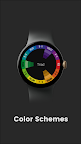
Explore 13 classic color schemes such as Monochromatic, Analogous, Complementary, Triad, Tetrad, and more—perfect for designers, artists, and color enthusiasts.

Go further with the Tint, Tone, and Shade toggle, which lets you view each scheme through subtle variations.

The new Settings screen lets you:
* Choose which color schemes to display
* Toggle vibration feedback
* Enable or disable helpful tips on launch

Whether you're creating, learning, or simply inspired by color theory, this minimal and elegant Wear OS app makes color harmony accessible and fun—right on your wrist.

Key Features:
* Rotate the color wheel with smooth touch or rotary input.
* Double-tap to switch between 13 classic color schemes.
* Tap the center button to switch between Tint, Tone, and Shade:
-Tint shows the color mixed with white
-Tone shows the color mixed with gray
-Shade shows the color mixed with black

* New customizable Settings screen
* Optimized for all Wear OS devices
* No phone or companion app required — fully standalone

Whether you're an artist, designer, or enthusiast, the Traditional Color Wheel app brings a vibrant and intuitive color tool right to your wrist!

Screenshots

I'm not a robot

In order to block spam bots, we push you a notification with the following code. Please click on the notification to complete the verification.


Notifications may be slightly delayed, please wait a moment.

Or if your device is unable to receive notifications, you can also send us an email.

Tips:

Please allow [apkz.com] to show notifications. We will notify you as soon as the App is ready.

Um, Seems that the notification is not available.
Would you like to send requests and receive updates via email?

Tips:

After the download is successful, please use [APKZ App] to install it.


Unable to determine whether the file was saved successfully, please confirm it yourself before installing.

Tips:

Your browser is out of date and some features may not work properly, please change or upgrade your browser.


For a better user experience, it is recommended to use Google Chrome or Edge.

Tips:

If the download cannot be completed, please open this page in your browser.


For a better user experience, it is recommended to use Google Chrome or Edge.

Tips:

This App can only be installed on Android devices.