

About this App
Is there a Chinese character that I can not write even read? Simply because it is now the era of the personal computer, let's UP Kanji force!
Are there any Chinese characters that you can read but cannot write?
"Writing Kanji Practice" is an epoch-making app that allows you to practice writing all common kanji.
There are a total of 2406 Chinese characters to be written down.
It contains the common kanji learned in compulsory education, the 196 additional common kanji that were decided to be added in 2010, and some of the personal name kanji.
Six literacy patterns are prepared for one kanji, and a total of 14436 questions are recorded.
It implements multiple questions for reading and writing questions for the same Chinese character.
[Mode introduction]
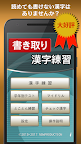
◆ Chinese character practice
・ This is the main mode of the app.
After selecting which grade to practice, you will be taken to the practice test selection screen.
You can practice 5 questions each of Chinese characters, and you can enjoy them between commuting to school.
There are no daily quotas or penalties for wrong times, so you can enjoy yourself at your own pace.
Also, as the number of passed Chinese characters increases, the overall achievement rate will increase, so you can see the progress at a glance.
◆ Grade test
・ You can enjoy the Chinese character test for each grade.
Problems always appear randomly. It is perfect for testing your strength after practice.
◆ My Drill (Added in ver2.0.0)
・ You can make your own drill.
You can freely create questions with Chinese characters that can be entered by handwriting.
◆ Thorough practice
・ You can practice Kanji for 50 questions in a row.
Feel free to solve problems you don't understand by passing them.
◆ Check Chinese characters
・ You can practice again in this mode by checking the kanji you are interested in, such as kanji practice and grade test. You can intensively practice the Chinese characters that you are not good at.
◆ Settings
-In the settings, you can enjoy switching various settings such as changing the number of questions and the range of questions, the color and size of the pen, and turning on / off automatic recognition.
Practice a lot of Chinese characters with the practice method that suits you.
[Dictionary linkage function]
・ You can look up the kanji in the problem area with "Jōyō Kanji Stroke Order Dictionary" or "Jōyō Kanji Stroke Order Dictionary Free".
[Handwriting input operation]
1. When the practice starts, the question will be displayed at the top of the screen.
2. In the handwriting area displayed at the bottom of the screen, write the characters that you think are the answer.
3. If the answer is correct, the characters will be entered in the question sentence. If you make a mistake, please pass or rewrite the text.
4. When ○ is attached, the problem ends. Please challenge the following problems.
* This product is based on the standards of the Agency for Cultural Affairs, "Common Kanji Table" and the Japan Kanji Aptitude Testing Foundation.
* This product can be moved to an "SD card".
* This product uses the handwritten character recognition engine "Rakuhira®" of Panasonic Corporation. Rakuhira is a registered trademark of Panasonic Corporation.


![常用漢字筆順辞典 [広告付き] 's icon](https://img.apkz.com/gpi/xKLQ8o0N9SV1Y3wVyqMB-WSgi7GFpvSku1lLYSbfHivxoxbO-Nz2_inBL310V4fKQEg?w=96)


![書き取り日本一周 [広告付き] 's icon](https://img.apkz.com/gpi/Ug-Q85EgEaDDdVz5M5Q3jqd74AFyWMzzTN7aGlS0LVze0hWAER2-rxa7s3VKjix8_lc?w=96)
