

You might like:


About this App
You can easily search for stroke order by handwriting! A dictionary app that helps you improve your kanji skills
"Common Kanji Stroke Order Dictionary" is the fastest and easiest way to look up stroke order and reading.
You can check the stroke order of kanji, hiragana, and katakana by tracing each stroke with your finger.
Furthermore, since it includes kanji readings and stroke order animations, it can also be used as a simple kanji dictionary.
Have you ever felt anxious when writing kanji in public, wondering if the writing and reading are correct?
With this app, you can quickly look up the stroke order and reading of the kanji you are interested in. Correct stroke order also leads to beautiful handwriting.
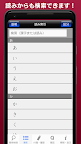
Searching for kanji is very easy. If you write kanji directly on the screen with your finger, the kanji will be displayed large and clearly. You can also search by stroke count or reading.
From now on, it's okay even if there are characters you don't know the stroke order of or can't read.
In this era of computers, please use the ``Commonly Used Kanji Stroke Order Dictionary'' to make use of kanji easily.
【Features】
◆You can enter the kanji you want to search by hand.
Just write the kanji you want to know on the screen with your finger and the character will be recognized and displayed immediately.
The handwriting recognition system uses Panasonic Corporation's handwritten character recognition engine "Rakuhira®", which has a proven track record in mobile game consoles.
◆ Stroke order animation function
All recorded characters have a "stroke order" display function that displays the stroke order in animation. Since kanji are displayed large across the screen, you can easily see kanji with a large number of strokes, such as tome and hané, which were previously difficult to see.
◆Practice tracing stroke order
All recorded characters come with a "tracing" practice function that allows you to memorize by tracing the parts displayed in red in order.
◆You can check the reading of Onkun.
You can search for kanji readings and radical names. You can check the details of not only common kanji but also difficult kanji such as readings and radicals.
◆Kanji are large and easy to read.
Kanji are displayed in large size across the screen. You can now see tome, hané, and kanji with many strokes that were difficult to see before.
◆You can also search from the clipboard or keyboard.
Displays a list of the readings of the kanji in the text in the clipboard or in the string entered from the keyboard.
◆Sticky notes
You can add sticky notes to each kanji and create bookmarks. You can choose from 5 colors for the sticky notes and add comments.
◆Search on the web
You can search the searched kanji and usage examples on the web.
◆Search by stroke count, reading, grade level, radical, and stroke count list.
You can find the desired kanji from each list.
◆Pen settings
You can change the color and thickness of the line when handwriting input.
[Handwritten input operation]
1. Write the kanji in the handwriting area displayed at the bottom of the screen.
2.Tap the selection candidate displayed at the top of the handwriting area to display that kanji.
3. Trace the kanji, check the details, and use it freely.
*The stroke order display part of this product uses a quasi-textbook font. (Based on JIS
*This product contains reading and stroke order data for over 6,400 characters, including all commonly used kanji and kanji for personal names.
*The stroke order is based on the "Handbook for teaching stroke order" (Ministry of Education, 1957), but this is only a guideline for learning stroke order, and does not necessarily mean that other stroke orders are not acceptable.
*This product complies with the commonly used kanji list announced by the Cabinet on November 30, 2010.
*This product complies with the "Kanji Dividend Table by Grade" of the elementary school curriculum guidelines that came into effect from April 1, 2020 (Reiwa 2) from the Ministry of Education, Culture, Sports, Science and Technology.
This product uses Panasonic Corporation's handwritten character recognition engine "Rakuhira®".
Rakuhira is a registered trademark of Panasonic Corporation.
This product displays advertisements, but there are no restrictions on functionality.
Handwriting, Kanji, Education, Dictionary, Dictionary, Study app, Junior high school student study app free, Kanji, Commonly used kanji, Stroke order, Japanese language, Stroke order, Kanji test, Vocabulary, Kakijun, Kanji test, Number of strokes, Vocabulary power, Vocabulary power Diagnosis, beautiful characters, dictionary free, hiragana practice, math app, handwritten notes, proverbs, free dictionary, accent dictionary, English-Japanese dictionary, kanbun, kanji drill, elementary school kanji, kanji test grade 3, broken characters, clear calligraphy, calligraphy , Kanji Dego, Classics, Toshin, Test Study



![書き取り漢字練習 [広告付き] 's icon](https://img.apkz.com/gpi/-CgIBbCwd_jHmFxZ4Vw1ANhH71hpwrjHBGTOYZI0qFdBOC-a8d5BVH5d5AIRSMI9gsk?w=96)

![書き取り日本一周 [広告付き] 's icon](https://img.apkz.com/gpi/Ug-Q85EgEaDDdVz5M5Q3jqd74AFyWMzzTN7aGlS0LVze0hWAER2-rxa7s3VKjix8_lc?w=96)

