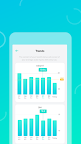
Featured Banner
Icon

eufy Life

© Anker

4.4 1392573

Source: Google Play Store

Category: Lifestyle

Price: Free

Content Rating: for everyone

Requires: Android 7.0+

Released on: 2017-01-10

This App is not yet included in [apkz.com]. You can click the button below to request.

(The more people request, the faster it may be included)

☑ We will notify you as soon as the App is available. If you can't receive notifications, please check back often.

About this App

Eufy, Healthy Living Made Smart.
The eufy Life app is dedicated to improving your health. We’ve blended technology and convenience into an easy-to-use app that automatically syncs your health data.

HOW THE APP WORKS
A eufy Life account is needed to use this app. You only need to provide an email address and registration takes two steps and only a minute to complete.

To get started, download eufy Life to your mobile device and register your email address to create an acco unt.

HOW TO PAIR DEVICES
Eufy products are designed to be user friendly. Pairing devices is as simple as enabling Wi-Fi and/or Bluetooth on your mobile device, turning on the Eufy product, and following the on-screen instructions to complete pairing. That's it!

Eufy’s BodySense line of health and wellness-focused products are currently available for use with EufyLife: BodySense Smart Scale, BodySense Blood Pressure Monitor, and BodySense Ear Thermometer.

CONNECT WITH US
• Email: support@eufylife.com
• Website: eufylife.com
• Facebook: @EufyOfficial

Screenshots

I'm not a robot

In order to block spam bots, we push you a notification with the following code. Please click on the notification to complete the verification.


Notifications may be slightly delayed, please wait a moment.

Or if your device is unable to receive notifications, you can also send us an email.

Tips:

Please allow [apkz.com] to show notifications. We will notify you as soon as the App is ready.

Um, Seems that the notification is not available.
Would you like to send requests and receive updates via email?

Tips:

After the download is successful, please use [APKZ App] to install it.


Unable to determine whether the file was saved successfully, please confirm it yourself before installing.

Tips:

Your browser is out of date and some features may not work properly, please change or upgrade your browser.


For a better user experience, it is recommended to use Google Chrome or Edge.

Tips:

If the download cannot be completed, please open this page in your browser.


For a better user experience, it is recommended to use Google Chrome or Edge.

Tips:

This App can only be installed on Android devices.