Featured Banner
Icon

Pearson English Portal App

© Pearson Education, Inc.

3.3 286127

Source: Google Play Store

Category: Education

Price: Free

Content Rating: for everyone

Requires: Android 10.0+

Released on: 2022-08-19

This App is not yet included in [apkz.com]. You can click the button below to request.

(The more people request, the faster it may be included)

☑ We will notify you as soon as the App is available. If you can't receive notifications, please check back often.

About this App

English language learning app
Pearson’s highly regarded English Courseware can now go with you. Introducing the Pearson English Portal app. Learners can now do assignments and practice questions on the go for New Big Fun Products.

The app allows users to:

1. Create a Pearson English Portal Account
2. Add New Big fun products
3. Join classes
4. Access New Big Fun products and classes that were already accessed on Pearson English Portal
5. Complete practice and assigned activities
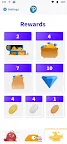
6. View scores and rewards

The Pearson English Portal app is designed with a wide variety of users in mind, especially young learners who are just beginning to learn to read and write. Simple icons and images make it easy for young learners to navigate the various areas of the app.

The app is integrated with the Pearson English Portal gradebook so that teachers and parents can track learner’s performance online.

A world of English language learning awaits, we’d love to be part of your learning journey.

Screenshots

I'm not a robot

In order to block spam bots, we push you a notification with the following code. Please click on the notification to complete the verification.


Notifications may be slightly delayed, please wait a moment.

Or if your device is unable to receive notifications, you can also send us an email.

Tips:

Please allow [apkz.com] to show notifications. We will notify you as soon as the App is ready.

Um, Seems that the notification is not available.
Would you like to send requests and receive updates via email?

Tips:

After the download is successful, please use [APKZ App] to install it.


Unable to determine whether the file was saved successfully, please confirm it yourself before installing.

Tips:

Your browser is out of date and some features may not work properly, please change or upgrade your browser.


For a better user experience, it is recommended to use Google Chrome or Edge.

Tips:

If the download cannot be completed, please open this page in your browser.


For a better user experience, it is recommended to use Google Chrome or Edge.

Tips:

This App can only be installed on Android devices.