Featured Banner
Icon

PS Remote Play for TV

© PlayStation Mobile Inc.

3.2 1918547

Source: Google Play Store

Category: Entertainment

Price: Free

Content Rating: for everyone

Requires: Android 12+

Released on: 2023-09-06

This App is not yet included in [apkz.com]. You can click the button below to request.

(The more people request, the faster it may be included)

☑ We will notify you as soon as the App is available. If you can't receive notifications, please check back often.

About this App

Access your PS5 or PS4 wherever you go.
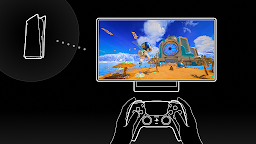
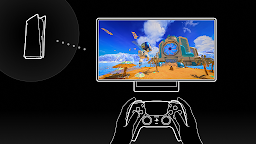
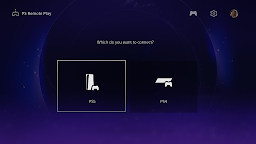
Use PS Remote Play to access your PS5™ or PS4™ and play games remotely on your TV or monitor.

You need the following items to use this app:
• Android TV OS 12 or later installed on your TV, Chromecast with Google TV, or Google TV Streamer. (We recommend setting your TV or monitor to low latency game mode)
• A DualSense™ wireless controller or DUALSHOCK®4 wireless controller
• For devices with Android TV OS 14 or later installed, you can also use a DualSense Edge™ wireless controller
• A PS5 or PS4 console with the latest system software version
• An account for PlayStation™Network
• A fast and stable internet connection (We recommend using a wired connection or 5 GHz Wi-Fi network connection)

Verified devices:
• Sony BRAVIA series
For information about supported models, visit the BRAVIA website. www.sony.net/bravia-gaming
• Chromecast with Google TV (4K model or HD model)
• Google TV Streamer

Note:
• This app may not work properly on unverified devices.
• This app may not be compatible with some games.
• Your controller may vibrate differently than when playing on your PS5 or PS4 console, or your device might not support it.
• Depending on the signal conditions of your device, you might experience input lag when using your wireless controller.

App subject to end-user license agreement:
www.playstation.com/legal/sie-inc-mobile-application-license-agreement/
Screenshots

I'm not a robot

In order to block spam bots, we push you a notification with the following code. Please click on the notification to complete the verification.


Notifications may be slightly delayed, please wait a moment.

Or if your device is unable to receive notifications, you can also send us an email.

Tips:

Please allow [apkz.com] to show notifications. We will notify you as soon as the App is ready.

Um, Seems that the notification is not available.
Would you like to send requests and receive updates via email?

Tips:

After the download is successful, please use [APKZ App] to install it.


Unable to determine whether the file was saved successfully, please confirm it yourself before installing.

Tips:

Your browser is out of date and some features may not work properly, please change or upgrade your browser.


For a better user experience, it is recommended to use Google Chrome or Edge.

Tips:

If the download cannot be completed, please open this page in your browser.


For a better user experience, it is recommended to use Google Chrome or Edge.

Tips:

This App can only be installed on Android devices.