
You might like:


About this App
Record and transform vocals with clarity — ideal for music and podcasts
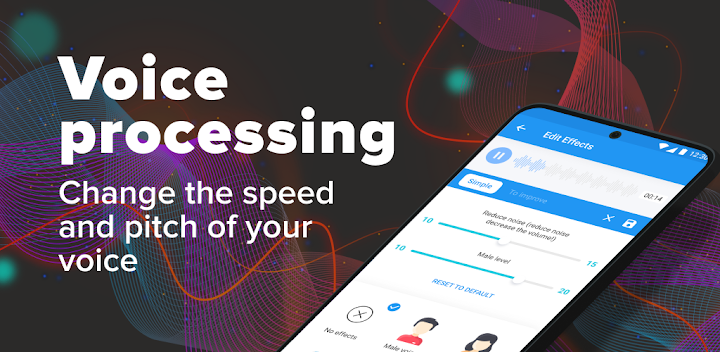
Video voice changer and Crazy voice changer. Fast voice auto tune singing microphone: vocal tuner girl voice changer. Voice Processing - Auto Voice changer allows you to add various audio effects and tune to it. A very useful voice changer app that can be used for entertainment and work.
What can our voice editor do? Tune and change your voice! Voice processing is available in various variations. For example, change the voice to male or change the voice to female; change voice speed; add bass to the sound or, conversely, make the voice high. The program "voice changer" allows you to add an audio effect: TuneMe, change the voice to a child; make the voice beastly, for example, a chipmunk; or use a helium balloon sound effect; change voice tone, song editor and voice enhancement.
A convenient and useful function is voice reverb, which allows you to make the sound more rich and spacious, as if a good tuner of the voice was done. Reverb creates voice effects in professional sound recording.
Main functions and effects of voice changer:
- tuner
- voice recording and processing;
- changing the speed of sound, and range - from low (bass) to high;
- increasing the volume, tempo and adding echo, reverberation;
- adding sound effects (voice of a child, animal, old man, noise of rain, wind, etc.);
- change of voice (you can change the voice of a woman to a man and a man to a woman).
Where can a voice changer come in handy?
- for your own entertainment. If you like to sing and apply whimsical effects to your voice;
- to congratulate friends, relatives and change the voices of colleagues. For example, congratulate with a child's voice;
- for fun. Change the director's voice to female and share this recording with friends and colleagues;
- for performances at matinees, skits. Any effect can be applied to any recording;
- voice changer for presentations and reports;
- voice changer for phone ringtone, alarm ringtone, sms notifications. Record sound for your phone yourself and change your voice with various effects.
In general, the application can be used wherever you need voice processing and giving it any effects.
The use of the application is very simple and convenient, all functions are immediately displayed on the screen. Moreover, you can change both a third-party audio file and make a voice recording directly in the application.
Change voice, with effects to save the resulting recording in high quality. Then this record can be shared with friends on any social networks.
If you want to change voices, add fancy effects to them, then feel free to download the application, especially since it is free.


