Featured Banner
Icon

Camera Photo Self Timer

© SennikSoft

2.9 21595

Source: Google Play Store

Category: Tools

Price: Free

Content Rating: for everyone

Requires: Android 4.4+

Released on: 2015-03-12

This App is not yet included in [apkz.com]. You can click the button below to request.

(The more people request, the faster it may be included)

☑ We will notify you as soon as the App is available. If you can't receive notifications, please check back often.

About this App

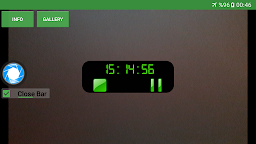
Camera Timer takes photo by setting a countdown at a time upto 24 hours
Camera Timer takes photo and shares it with friends more easily.You can set a countdown before taking pictures at a time upto 24 hours. Including the number of shots in a continuous take. And Calibrating shutter scope by sniper. Camera Timer is the simple camera with a self-timer function. You can save and share the photo's which you like it and show it in order in the gallery. Camera Timer is the popular camera app in market that allows you to delay the shutter release for adjusted time and giving you time between pushing the button and taking the actual photo in clean filter.


■Camera Timer App Features::
-----------------------------
★Delay taking pictures upto 24 hours.
★Clean and filtered Image.
★Sniper Scope.
★Sharing Photo function.
★Flash camera mode.
★Switching camera front or back.
★Warning sound during shutter release.

■ Advertising Policy Disclosure:
-----------------------------
We love creating apps, and want to keep them free forever.
In order to keep our development running, Camera Timer is ad-supported to generate some revenue.
Thank you for understanding.

Screenshots

I'm not a robot

In order to block spam bots, we push you a notification with the following code. Please click on the notification to complete the verification.


Notifications may be slightly delayed, please wait a moment.

Or if your device is unable to receive notifications, you can also send us an email.

Tips:

Please allow [apkz.com] to show notifications. We will notify you as soon as the App is ready.

Um, Seems that the notification is not available.
Would you like to send requests and receive updates via email?

Tips:

After the download is successful, please use [APKZ App] to install it.


Unable to determine whether the file was saved successfully, please confirm it yourself before installing.

Tips:

Your browser is out of date and some features may not work properly, please change or upgrade your browser.


For a better user experience, it is recommended to use Google Chrome or Edge.

Tips:

If the download cannot be completed, please open this page in your browser.


For a better user experience, it is recommended to use Google Chrome or Edge.

Tips:

This App can only be installed on Android devices.