You might like:


About this App
Find a salon near you.
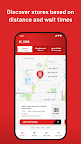
The Sport Clips app allows you to see wait times at stores near you, select your store and Stylist, and join the lineup from anywhere. No more wasting time in the lobby. Stay connected while you wait for your haircut so you can go on with your day. The app is now available in the U.S. and Canada.
Features
- Join the lineup: No more guessing. Compare wait times at different Sport
Clips stores near you and get in line while you go about your day.
- Choose your Stylist: Did you love your last precision haircut? Default to the first available stylist or see who is working and select a specific Stylist for your next haircut.
- Add a guest: We’ll take care of the whole crew—add you and up to four guests to the lineup, or just your guests.
- See what’s happening from anywhere: With our Haircut Tracker, you can see where you are in the lineup, how many people are ahead of you, and each Stylist’s status at any moment.
- Receive live updates: We’ll let you know when to head to the store, when you’re up next, and if anything changes about your visit. We recommend enabling push notifications and location settings for the best experience.
- Receive promos & account notifications: Through the Sport Clips app, you can set your account preferences to opt in to the notifications you want, and specify how you want to receive them.
- Save your favorites: Love your MVP haircut experience? Save your favorite store and Stylist to your preferences for next time.
How to use
First, download the Sport Clips app and create an account or log in. Don’t forget to enable your location settings to see stores in your area. Next, select the store you’d like—you can choose based on past visits, your location, or the shortest wait—and tap “Join the lineup.” Then, choose which Stylist you’d like for your visit, and for any guests who may be with you. Tap “Join the lineup” once more and you’re in!
What happens next?
Once you join the lineup, our Haircut Tracker will give you a live play-by-play of how long your estimated wait time is, how many people are ahead of you, and your Stylist’s status. This way, you can plan your travel time and go on with your day while you wait for your haircut. Enable location services so we can seamlessly check you in when you arrive with our Geofencing check-in, making your entry to the store efficient and contactless. You can also let a Stylist know you’ve arrived instead, or enter your phone number in the kiosk in the store to check in. We’ll let you know when you’re up next! If you lose your spot in the lineup, simply tap ‘Join the lineup’ again and check in once you arrive at the store.