You might like:


About this App
Create curriculum vitae, a professional cover letter creator and resume designer
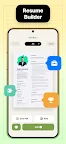
Resume Builder helps creating a impressive and professional resume & curriculum vitae PDF format in minutes. Whether you're a recent graduate or a seasoned professional, our innovative cv maker app is designed to help you craft the perfect resume for job application with a few taps on your mobile devices.
With Resume Builder, say good bye to the daunting task of formatting and structuring your resume. This resume maker provides you with an intuitive interface that seamlessly guides you through each step of cv maker process. From choosing the right resume template to customize sections and content, Resume Builder ensures that you create a visually appealing and professional resume that stands out.
Every career stage needs a different resume design, so Resume Builder offers a wide range of resume template and customizable options to meet the needs of all individuals. Our app has the flexibility to adapt to your specific career goals, helping you create the perfect resume for your job application. Resume Builder can easily adapt the curriculum vitae and resume template to any resume format you choose and optimized for the best resume design.
Easily personalize your resume design and make it truly represent you. Whether you want to add a touch of creativity or maintain a clean and professional resume, Resume Builder ensures your unique personality will be reflected and captures the attention of potential employers. This cv maker provides a range of resume template that designed specifically to suit different kind of job application, giving you the necessary tools for a perfect resume maker.
Export file in PDF format, save to your device or share it directly with employers, recruiters or networking contacts.
Resume Builder - CV Maker features:
- Wide ranges of resume design.
- Step by step guidances with resume template.
- Customizable option for resume format.
- Download in PDF format.
- Built-in sharing function for easy sending and printing.
- User-friendly interface and intuitive navigation system form for easy editing and updating.
Create resume design is further simplified with Resume Builder intuitive navigation system and user-friendly interface. You can easily edit and update your resume and curriculum vitae, see your progress in real-time as you add your professional experience and qualifications.
All you need is a mobile phone to create curriculum vitae in PDF format. Fill in all the information, choose your favorite resume template and Resume Builder will automatically create your resume.
Resume Builder is the ultimate cv maker app for anyone looking to create a impressive and professional resume. Don't let a weak resume design hold you back from the career of your dream. With our app's range of resume template, customization option and built-in sharing functionality, you'll have all the necessary tools to create the perfect resume.