Featured Banner
Icon

Tesla

© Tesla, Inc.

3.6 6171314

Source: Google Play Store

Category: Lifestyle

Price: Free

Content Rating: for everyone

Requires: Android 7.0+

Released on: 2013-01-31

This App is not yet included in [apkz.com]. You can click the button below to request.

(The more people request, the faster it may be included)

☑ We will notify you as soon as the App is available. If you can't receive notifications, please check back often.

About this App

Communicate with your vehicles and Powerwalls anytime, anywhere
The Tesla app puts owners in direct communication with their vehicles and Powerwalls anytime, anywhere. With this app, you can:

- Check charging progress in real time and start or stop charging
- Heat or cool your car before driving – even if it's in a garage
- Lock or unlock from afar
- Locate your vehicle with directions or track its movement
- Send an address from your favorite apps to start navigation in your car
- Allow your passengers to quickly control media
- Flash lights or honk the horn to find your vehicle when parked
- Vent or close the panoramic roof
- Summon your vehicle out of your garage or a tight parking space (for vehicles with Autopilot)
- Update your vehicle software from wherever you are
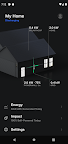
- Engage with Powerwall: monitor how much energy is stored from solar, used by your home, or exported to the grid
- Download your solar production and battery usage data

Note: Powerwall features in this app require Powerwall 2

For more information about Tesla, visit www.tesla.com

Screenshots

I'm not a robot

In order to block spam bots, we push you a notification with the following code. Please click on the notification to complete the verification.


Notifications may be slightly delayed, please wait a moment.

Or if your device is unable to receive notifications, you can also send us an email.

Tips:

Please allow [apkz.com] to show notifications. We will notify you as soon as the App is ready.

Um, Seems that the notification is not available.
Would you like to send requests and receive updates via email?

Tips:

After the download is successful, please use [APKZ App] to install it.


Unable to determine whether the file was saved successfully, please confirm it yourself before installing.

Tips:

Your browser is out of date and some features may not work properly, please change or upgrade your browser.


For a better user experience, it is recommended to use Google Chrome or Edge.

Tips:

If the download cannot be completed, please open this page in your browser.


For a better user experience, it is recommended to use Google Chrome or Edge.

Tips:

This App can only be installed on Android devices.