Featured Banner
Icon

TP-LINK tpCamera

© TP-LINK SYSTEMS INC.

4.2 1195292

Source: Google Play Store

Category: Libraries and Demo

Price: Free

Content Rating: for everyone

Requires: Android 7.0+

Released on: 2014-11-25

This App is not yet included in [apkz.com]. You can click the button below to request.

(The more people request, the faster it may be included)

☑ We will notify you as soon as the App is available. If you can't receive notifications, please check back often.

About this App

View your cameras anywhere and anytime
Stay connected to what you care most.
TP-LINK tpCamera is a cloud-based video monitoring app that lets you stay connected to home, family, or pets remotely.

View your cameras anywhere and anytime.
With the TP-LINK tpCamera app installed on your smartphones, you can easily access your cloud cameras at any time and from anywhere over the Internet, so you never miss a moment.

★Features
● Free cloud service for life.
● Quick registration and setup, the simplest way to connect to your home and office.
● Manage and stream live videos from multiple cameras.
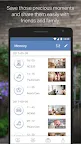
● Store photos and videos for you to relive the moments.

See more, be sure. For more information, go to www.tplinkcloud.com.

Compatible devices:
NC200 / NC210 /NC220 / NC230 / NC250 / NC260 / NC450

Supported Languages:
English
French
German
Spanish
Portuguese
Italian
Russian
Polish
Traditional Chinese
Korean

Screenshots

I'm not a robot

In order to block spam bots, we push you a notification with the following code. Please click on the notification to complete the verification.


Notifications may be slightly delayed, please wait a moment.

Or if your device is unable to receive notifications, you can also send us an email.

Tips:

Please allow [apkz.com] to show notifications. We will notify you as soon as the App is ready.

Um, Seems that the notification is not available.
Would you like to send requests and receive updates via email?

Tips:

After the download is successful, please use [APKZ App] to install it.


Unable to determine whether the file was saved successfully, please confirm it yourself before installing.

Tips:

Your browser is out of date and some features may not work properly, please change or upgrade your browser.


For a better user experience, it is recommended to use Google Chrome or Edge.

Tips:

If the download cannot be completed, please open this page in your browser.


For a better user experience, it is recommended to use Google Chrome or Edge.

Tips:

This App can only be installed on Android devices.