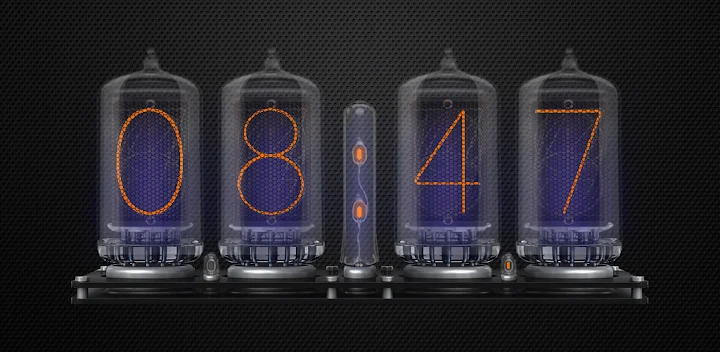
Featured Banner
Icon

Nixie Tube Clock Widget - Lite

© vulterey

3.8 10302

Source: Google Play Store

Category: Personalization

Price: Free

Content Rating: for everyone

Requires: Android 8.0+

Released on: 2019-10-05

This App is not yet included in [apkz.com]. You can click the button below to request.

(The more people request, the faster it may be included)

☑ We will notify you as soon as the App is available. If you can't receive notifications, please check back often.

About this App

Nixie Tube inspired retro clock widget.
Nixie Tube Clock Widget displays the current time/date and helps set up an alarm.

Features:

★ Time and date display depends on your locale settings
★ 24h/12h mode
★ AM and PM indicators (12h mode only)
★ Show the Date
★ Set the Alarm
★ Settings section to customize the widget
★ Separate layout for the small screens up to 720dp wide

Settings:

You can set:

Visibility level for:
★ Background
★ LEDs

Enable/disable:
★ Background
★ LEDs

The app uses custom fonts created especially for this project,
to preserve the battery and to prevent the Android system from stopping the widget from working.

This widget was tested on many physical devices with no fail.
However, I cannot guarantee proper functionality on all devices.
If you experience any issues, please contact me before you post a review.
I am also open to any suggestions about new features you wish to see on this simple widget (a few of them found their way thanks to user's feedback, so don't hesitate to contact me if you have any ideas ;) )

And don't forget to check the Pro version of the app.

https://play.google.com/store/apps/details?id=com.vulterey.nixieclockwidgetpro&hl=pl

There are a lot of extra features available only there.


Happy moments ;)

Screenshots

I'm not a robot

In order to block spam bots, we push you a notification with the following code. Please click on the notification to complete the verification.


Notifications may be slightly delayed, please wait a moment.

Or if your device is unable to receive notifications, you can also send us an email.

Tips:

Please allow [apkz.com] to show notifications. We will notify you as soon as the App is ready.

Um, Seems that the notification is not available.
Would you like to send requests and receive updates via email?

Tips:

After the download is successful, please use [APKZ App] to install it.


Unable to determine whether the file was saved successfully, please confirm it yourself before installing.

Tips:

Your browser is out of date and some features may not work properly, please change or upgrade your browser.


For a better user experience, it is recommended to use Google Chrome or Edge.

Tips:

If the download cannot be completed, please open this page in your browser.


For a better user experience, it is recommended to use Google Chrome or Edge.

Tips:

This App can only be installed on Android devices.