You might like:


About this App
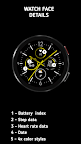
Digital-style Wear OS watch face with steps, heart rate, date & battery info
Built to last. Designed to move.
Endurance Watch Face is a sleek analog-style watch face for Wear OS smartwatches, offering a clean, performance-focused design with essential daily metrics — including steps, heart rate, date, and battery level — all in one glance.
Whether you're hitting the gym or heading to work, Endurance blends classic watch face aesthetics with modern smart tracking tools — without draining your battery or cluttering your screen.
Key Features:
- Analog Watch Design – Elegant, easy-to-read analog dial with premium layout
- Fitness Tracking at a Glance – Live step counter, heart rate monitor, and battery level
- Customizable Complications – Add or replace elements like weather, app shortcuts, or other Wear OS data
- Day & Date Display – Stay updated with today’s date and day, front and center
- Built for Wear OS – Optimized for top smartwatches including Galaxy Watch, Pixel Watch, Fossil, Mobvoi, and more
Why Choose Endurance Watch Face:
- Battery Efficient – Minimalist design that performs all day without excessive power use
- Fast Setup – Customize your complications with just a few taps on your watch
- Highly Compatible – Works with all major Wear OS smartwatches (Samsung, Pixel, Fossil, TicWatch, Suunto, Tag Heuer, Montblanc, Casio, and others)
How to Set It Up:
- Install Endurance Watch Face from the Play Store
- Long-tap your current watch face on the smartwatch
- Tap the gear icon to open settings
- Choose Customize, then select Complications
- Assign your preferred data (steps, heart rate, battery, etc.) to available slots
- Press the side button to activate — and you're set
Who It's For
- Fitness-focused users wanting steps and heart rate at a glance
- Professionals looking for a premium analog display with core health stats
- Anyone who prefers clean design with functional performance on their Wear OS device
More Smartwatch Faces from Time Studios
Explore a wide collection of minimal, fitness-ready, and customizable watch faces:
https://play.google.com/store/apps/dev?id=5891507527460766967
Have questions or feedback? Contact us at timestudios77@gmail.com
Your suggestions help us create better, more useful watch faces for the Wear OS community.