You might like:


About this App
A modern sporty analog watch face for Wear OS from Ballozi
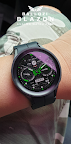
BALLOZI BLAZON is a modern sporty analog watch face for Wear OS. Works great on round smartwatches but not suitable for rectangular and square watches.
INSTALLATION OPTIONS:
1. Keep your watch connected to your phone.
2. Install in the phone. After installation, immediately check your watch face list in your watch by pressing and hold display then swipe to the very end and click Add watch face. There you can see the newly installed watch face and just activate it.
3. After installation, you can also check the following:
A. For Samsung watches, check your Galaxy Wearable app in your phone (install it if not yet installed). Under Watch faces > Downloaded, there you can see the newly installed watch face and then just apply it to connected watch.
B. For other smartwatch brands, for other Wear OS devices, please check the watch app installed in your phone that comes with your smartwatch brand and find the newly installed watch face in the watch face gallery or list.
4. Please also visit the link below showing many options how to install Wear OS watch face in your watch.
https://developer.samsung.com/sdp/blog/en-us/2022/11/15/install-watch-faces-for-galaxy-watch5-and-one-ui-watch-45
For support and request, you can email me at balloziwatchface@gmail.com
FEATURES:
- Steps counter with progress subdial (target is set to 10000 steps)
- Battery subdial with red indicator
- Date, day of week and month
- 10x Background styles
- 16x Theme colors
- World clock
- 1X Editable Complication
- 4x Customizable app shortcuts
- 4x Preset app shortcuts
CUSTOMIZATION:
1. Press and hold display then hit "Customize".
2. Swipe left and right to choose what to customize.
3. Swipe up and down to choose options available.
4. Hit "OK".
PRESET APP SHORTCUTS:
1. Calendar
2. Battery Status
3. Alarm
4. Heart rate
Measuring Heart Rate (Manual refresh). The Measuring Heart Rate shortcut takes independent measurement of heart rate and doesn't update the Wear OS heart rate app. This watch face displays the heart rate at the time of measurement and it may have different reading from the Wear OS app. To measure heart rate: Please make sure to wear your watch properly, screen turned on and stay still while measuring. Then single tap the shortcut to measure heart rate. Icon appears when measuring heart rate. Wait for a few seconds. Heart rate icon disappears once done. Heart rate will automatically measure every 10 minutes.
CUSTOMIZABLE APP SHORTCUTS
1. Press & hold display then Customize
3. Find Complication, single tap to set preferred app in the shortcuts.
Check out Ballozi's updates at:
Telegram group: https://t.me/Ballozi_Watch_Faces
Facebook page: https://www.facebook.com/ballozi.watchfaces/
Instagram: https://www.instagram.com/ballozi.watchfaces/
Youtube Channel: https://www.youtube.com/@BalloziWatchFaces
Pinterest: https://www.pinterest.ph/ballozi/
For support and request, you can email me at balloziwatchface@gmail.com