
You might like:
![AE CLIMA [LCI] 's icon](https://img.apkz.com/gpi/4oA12ELxkySc9laPjlJ6hVwJKUHHgdfbRc-8qK2didY4gimi82ARN11732QKz-t5FQ?w=96)


About this App
Wear OS watch face built with Watch Face Studio powered by Samsung.
AE CLIMA [WEATHER]
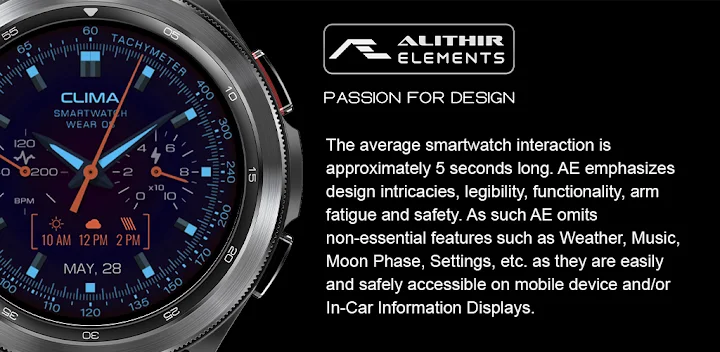
Evolved from the AE CLIMA [LCI], herewith 4th rendition focussed on weather, health activity watch face. Made for collectors, with eight vibrant combinations of luminosity and AE’s signature AOD and Dark Mode.
FEATURES
• Heartrate Subdial
• Battery Subdial
• Weather condition
• Up to 4 hours weather forecast
• Month and Date
• Five Shortcuts
• Active Ambient Mode
PRESET SHORTCUTS
• Alarm
• Calendar (events)
• Heartrate measure
• Message
• Dark mode
ABOUT THE APP
Built with Watch Face Studio powered by Samsung. This app requires min SDK Version: 34 (Android API 34+) and includes weather tags and forecast functions, and ICU date and time components. The app has been tested on Samsung Watch 4 and all features and functions worked as intended. The same may not apply to other Wear OS watches. Please read store listing before download and update both device and watch firmware.
Thank you for visiting Alithir Elements (Malaysia).


![AE ATLANTIS [PERPETUAL] 's icon](https://img.apkz.com/gpi/y7yz6W1WoOtw8YpNpIgxG0H6DzyoQBqm4kReJpfGwTOVtWCRWJ7XumPzHS0UF_1I7r_wAGTT_3M5Xu9cH199lg?w=96)


![AE MOTORRAD [NEXT] 's icon](https://img.apkz.com/gpi/bGCGbqcn27ekjYu8IPvoh8poL1O12q80hJZbQNnjzhdGH2FyLuNhjXVvmvMfMN-vzfvB8Hj8BH5qjG8zcr7nmg?w=96)

