You might like:


About this App
Analog Watch Face for Wear OS with customizable complications by MD
New watch face format.
Note for Galaxy Watch Users: The watch face editor in the Samsung Wearable app often fails to load complex watch faces like this one.
This is not an issue with the watch face itself.
It is recommended to customize the watch face directly on the watch until Samsung resolves this issue.
TAP AND HOLD SCREEN ON WATCH AND SELECT CUSTOMIZE.
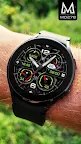
The MD278 is a Analog Wear OS watch face by Matteo Dini MD.
It contains 3 Preset App shortcuts, 3 customizable shortcuts, 2 customizable fields / complications, steps, heart rate, changeable colors and more.
INSTALLATION NOTES:
Please check this link for installation and troubleshooting guide:
https://www.matteodinimd.com/watchface-installation/
This watch face supports all Wear OS devices with API Level 33+ (Wear OS 4 and later versions) like Samsung Galaxy Watch 4-8, Ultra, Pixel Watch etc.
Watch face features:
- Analog
- Date
- BPM Heart Rate
- Steps
- Battery
- Daily Goals
- 3 Preset App Shortcuts
- 3 customizable shortcuts
- 2 customizable fields / complications
- Always ON Display supported with changeable colors
- Changeable colors
- Changeable hands
- Changeable backgrounds
Customization:
1 - Touch and hold display
2 - Tap on customize option
Watch face preset APP Shortcuts:
- Measure Heart Rate
- Calendar
- Battery Status
Customizable fields/complications:
you can customize the field with the any data you want.
For example, you can select weather, time zone, sunset/sunrise, barometer, next appointment and more.
*some features may not be available on some watches.
Let's keep in touch !
Matteo Dini MD ® is a well-known and ultra-awarded brand in the watch faces world!
Some references:
Best of Galaxy Store Awards 2019 Winner – Interview:
https://developer.samsung.com/sdp/blog/en-us/2020/05/26/best-of-galaxy-store-awards-2019-winner-matteo-dini-on-building-a-successful-brand
#1 Samsung Mobile Press:
https://www.samsungmobilepress.com/featurestories/samsung-celebrates-best-of-galaxy-store-awards-at-sdc-2019
#2 Samsung Mobile Press:
https://www.samsungmobilepress.com/featurestories/make-it-your-galaxy-customize-your-favorite-galaxy-devices-with-the-galaxy-store
Matteo Dini MD ® is also a registered trademark in the United States and Europe.
Newsletter:
Sign up to stay updated with new watch faces and promotions!
http://eepurl.com/hlRcvf
FACEBOOK:
https://www.facebook.com/matteodiniwatchfaces
INSTAGRAM:
https://www.instagram.com/mdwatchfaces/
TELEGRAM:
https://t.me/mdwatchfaces
WEB:
https://www.matteodinimd.com
-
Thank you !