You might like:


About this App
Classic, elegant, minimal and customizable analog watch face for Wear OS.
***
IMPORTANT!
This is a Wear OS Watch Face app. Its supporting only smartwatch devices which are running with WEAR OS API 30+. For example: Samsung Galaxy Watch 4, Samsung Galaxy Watch 5, Samsung Galaxy Watch 6, Samsung Galaxy Watch 7 and some more.
If you have problems with the installation or download, even though you have a compatible smartwatch, open the supplied companion app and follow the instructions under Install/Problems. Alternatively, write me an e-mail to: wear@s4u-watches.com
***
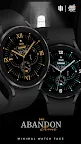
The "S4U Abandon Time" is a flat, elegant, classic dial with numerous options for customization. The classic design will look simply beautiful on your watch. Check out the gallery to get a good impression.
Highlights:
- flat elegant analog watch face
- numerous options for customization (Colors: 3 sections / Index numbers)
- 2 custom complications (change visible value)
- 6 custom shortcuts to reach your favorite widget
Detailed summary:
Display shows:
+ Time (analog/digital)
+ Day of the month
+ Weekday
+ Steps
+ Battery Status
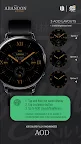
+ Have an always on display.
Colors are synchronized with the normal view.
2 different brightness level.
3 different AOD Layouts
** Keep in mind, when you using the always on display it will reduce your battery endurance! **
Customization:
1. Press and hold the watch display.
2. Push the customize button.
3. Swipe left and right between the different customizable objects.
4. Swipe up or down to change the options of the objects.
Available options:
+ Index Numbers (10 styles)
+ Color Index Main (10)
+ Color Inside (10)
+ Color (11) - (Hands + Index outside + Index Numbers + Date)
Additional functionality:
+ tap the battery indicator to open Battery details
Setting up shortcuts/custom complications:
shortcuts = links to a widget
custom complication = change value
1. Press and hold the watch display.
2. Push the customize button.
3. Swipe from right to left until you reach the "complications".
4. The possible 2 custom complications and 6 shortcuts are highlighted. Click on it to set what you want here.
If you like the design, it is definitely worth to have a look at my other creations. More designs will be available for Wear OS in the future. Just check out my website:
https://www.s4u-watches.com.
For quick contact with me, use the email. I also would be happy for every feedback in the play store. What you like, what you don't like or any suggestions for the future. I try to have everything in view.
My Social Media to be always up to date:
Instagram: https://www.instagram.com/matze_styles4you/
Facebook: https://www.facebook.com/styles4you
YouTube: https://www.youtube.com/channel/UCE0eAFl3pzaXgFiRBhYb2zw
X (Twitter): https://x.com/MStyles4you