You might like:


About this App
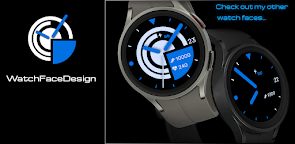
Analog watch face for Wear OS.
FOLLOW OUR PAGE:
https://www.facebook.com/WatchFacesForSamsung
This watch face supports all Wear OS devices with API level 30+, such as Samsung Galaxy Watch 4, 5, 6, 7, etc.
FEATURES:
★★★ Special edition watch face for WatchFaceDesign fans ★★★
We are glad that you like our watch faces and that you will continue to favor us. Take a look at our other watch faces from our offer. Thank you very much.
TOUCH CONTROLS:
★ Heart rate (click on heart)
INSTALLATION NOTES:
Where can I find the watch face? In the watch open the watch faces menu, go to the end of the list and click on Add watch face. You will find the new watch face in the list of watch faces. Click the icon to activate the watch face.
NOTE!
- Make sure the watch is properly connected to the phone. After a few minutes the watch face will transferred on watch / check the watch faces installed by the Wearable app on the phone.
- If you are having synchronization problems between your phone and Play Store, install the app directly from watch: search from Play Store on watch and hit on install button.
- Alternatively, try installing the watch face from web browser on your PC.
- Also please make sure you enabled all needed permissions.
Please, any problems on this side are NOT caused by the developer.
You can uninstall this mobile app later.
[ This watch face is only for Wear OS devices ]
This watch face supports all Wear OS devices with API Level 28+.
CONTACT
If you need a support or talk about our Privacy Policy, contact us on:
cezarekwatch@gmail.com