Featured Banner
Icon

WTMP — Who touched my phone?

© Mindfulness Devs

4.7 30048674

Source: Google Play Store

Category: Photography

Price: Free

Content Rating: for everyone

Requires: Android 6.0+

Released on: 2014-05-16

This App is not yet included in [apkz.com]. You can click the button below to request.

(The more people request, the faster it may be included)

☑ We will notify you as soon as the App is available. If you can't receive notifications, please check back often.

About this App

WTMP — Who touched my phone? Who unlocked? Who tried to unlock?
WTMP — Who touched my phone?

Application will record those who will use your phone using the front camera in the background mode, invisibly for user. You will see who, when and what did to your favorite device while it is not under your attention.

How does it work?
1) Open app and click the button. Then close the app and lock your device;
2) User unlocked device or tried to do it. The application starts recording a report (photo, list of launched apps);
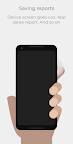
3) Device screen goes out. App saves report. And so on;
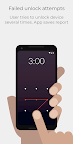
4) User tries to unlock device several times. App saves report;
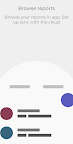
5) Browse your reports in app. Set up sync with the cloud.

This app uses the Device Administrator permission. The application needs device administrator rights to look out for incorrect unlock attempts. Android only detects a password or pattern as incorrect if it has at least 4 digits/characters or pattern dots.

Device Administrator needs to be deactivated before app uninstall.

For any questions:
mdeveloperspost@gmail.com

Screenshots

I'm not a robot

In order to block spam bots, we push you a notification with the following code. Please click on the notification to complete the verification.


Notifications may be slightly delayed, please wait a moment.

Or if your device is unable to receive notifications, you can also send us an email.

Tips:

Please allow [apkz.com] to show notifications. We will notify you as soon as the App is ready.

Um, Seems that the notification is not available.
Would you like to send requests and receive updates via email?

Tips:

After the download is successful, please use [APKZ App] to install it.


Unable to determine whether the file was saved successfully, please confirm it yourself before installing.

Tips:

Your browser is out of date and some features may not work properly, please change or upgrade your browser.


For a better user experience, it is recommended to use Google Chrome or Edge.

Tips:

If the download cannot be completed, please open this page in your browser.


For a better user experience, it is recommended to use Google Chrome or Edge.

Tips:

This App can only be installed on Android devices.