You might like:


About this App
Virtual shields for BT gamepad, robot control, sensors, camera, IoT, & terminal.
Whether you're a student, a teacher, or a hobbyist, Dabble is the perfect app for all your DIYing needs. It transforms your Smartphone into a virtual I/O device and lets you control hardware via Bluetooth as a gamepad controller or joystick, communicate with it like a serial monitor, access sensors like accelerometer, GPS, and proximity and other features of your Smartphone. It also provides you with dedicated projects compatible with Scratch and Arduino to help you learn by doing.
What Dabble has in store:
• LED Brightness Control: Control brightness of LEDs.
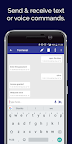
• Terminal: Send and receive text and voice commands over Bluetooth.
• Gamepad: Control Arduino projects/devices/robot in analog (Joystick), digital, and accelerometer mode.
• Pin State Monitor: Remotely monitor the live status of devices and debug them.
• Motor Control: Control actuators such as the DC motor, and servo motor.
• Inputs: Provide analog and digital inputs via buttons, knobs, and switches.
• Phone Sensor: Access different sensors of your Smartphone such as the accelerometer, gyroscope, proximity sensor, magnetometer, light sensor, sound sensor, GPS, temperature sensor, and barometer to make projects and conduct experiments.
• Camera:Use the camera of your Smartphone for taking photos, record videos, colour picking, and face recognition (coming soon).
• IoT : Log data, publish it on cloud, connect with internet, set notifications, and access data from APIs like ThingSpeak, openWeathermap, etc (coming soon).
• Oscilloscope : Wirelessly visualize and analyse the input and output signals given to the device using the oscilloscope module.
• Music Tune : Receive commands from the device and play tones, songs, or other recorded audio files on your Smartphone.
Make dedicated projects to experience different concepts of the real world first-hand like home automation, line-follower and robotic arm.
Boards Compatible with Dabble:
• evive
• Quarky
• Arduino Uno
• Arduino Mega
• Arduino Nano
• ESP32
Bluetooth Modules Compatible with Dabble:
• HC-05, Bluetooth Classic 2.0
• HC-06, Bluetooth Classic 2.0
• HM-10 or AT-09, Bluetooth 4.0 & Bluetooth Low Energy (ESP32 has inbuilt Bluetooth 4.2 & BLE)
Want to know more about Dabble? Visit: https://thestempedia.com/product/dabble
Module Documentation: https://thestempedia.com/docs/dabble.
Projects that you can make: https://thestempedia.com/products/dabble-app
Dabble app usually serves as a virtual replacement for:
• Sensors like IR, proximity, color recognition, accelerometer, gyroscope, magnetometer, mic, sound, etc.
• Arduino shields like Wi-Fi, Internet, TFT Display, 1Sheeld, touchboard, ESP8266 Nodemcu shield, GPS, gamepad, etc.
• Modules like joystick, numpad/keypad, camera, audio recorder, sound playback, etc.
Permissions required for:
• Bluetooth: to provide connectivity.
• Camera: for taking pictures, videos, face recognition, color sensor, etc.
• Microphone: to send voice commands and use the sound sensor.
• Storage: to store the pictures and videos taken.
• Location: to use Location sensor and BLE.