Featured Banner
Icon

ibis Storage

© ibis inc.

3.5 6235

Source: Google Play Store

Category: Productivity

Price: Free

Content Rating: for everyone

Requires: Android 8.0+

Released on: 2024-08-22

This App is not yet included in [apkz.com]. You can click the button below to request.

(The more people request, the faster it may be included)

☑ We will notify you as soon as the App is available. If you can't receive notifications, please check back often.

About this App

「電子帳簿保存法」に対応した セキュアな国産クラウドストレージ
<ibisStorageのアプリストア用アプリ説明文>

「電子帳簿保存法」に対応した法人向けクラウドストレージ ibisStorage (アイビスストレージ) は、株式会社アイビスが運営する国産のクラウドストレージです。 高度なセキュリティ機能と丁寧なユーザーサポートで、さまざまな脅威からお客様の大切なファイルをお守りします。

【主な機能】
* 端末認証機能
* 接続元IP制限機能
* フォルダ別アクセス権コントロール機能
* 電子帳簿保存法対応
* AI-OCR 認識機能
* 簡易名刺管理機能
* ファイル復元機能
* 監査ログ機能

■「端末認証機能」でゼロトラストセキュリティを実現
ゼロトラストセキュリティとは「どの端末から誰がアクセスするか」に基づく新しいセキュリティの考え方です。ibisStorage では「端末認証機能」をご利用頂くことでゼロトラストセキュリティを実現することができます。

「端末認証機能」は、管理者が承認した端末以外からのストレージへのアクセスをすべてブロックします。

■ 証憑をクラウドストレージで安全に保管
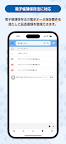
ibisStorage は「電子帳簿保存法」に対応しています。証憑の取引日、取引先名、金額などの属性を編集した履歴はすべて記録され、任意の項目を組み合わせて証憑を検索することができるため、電子帳簿保存法に定められた電子データの保存要件を満たしながら、クラウドストレージ上で安全に証憑を保管することができます。

■ AI による証憑の自動認識で面倒な入力作業を軽減
ibisStorage にアップロードした証憑は、AI による「AI-OCR 認識機能」で取引日、取引先名、金額などを自動で入力することができます。ibisStorage に証憑を保管することで面倒な入力作業の手間を軽減し、日々の業務を省力化することができます。

■ 「簡易名刺管理機能」で他部署との情報共有も簡単
ibisStorage に保管した名刺に取引先との会議資料や契約書などのリンクを登録しておくことで、他部署との情報共有を簡単に行うことができます。


https://storage.ibis.ne.jp/manual/index.html?p=oth-agreement

https://storage.ibis.ne.jp/index.html#contactUs

Screenshots

I'm not a robot

In order to block spam bots, we push you a notification with the following code. Please click on the notification to complete the verification.


Notifications may be slightly delayed, please wait a moment.

Or if your device is unable to receive notifications, you can also send us an email.

Tips:

Please allow [apkz.com] to show notifications. We will notify you as soon as the App is ready.

Um, Seems that the notification is not available.
Would you like to send requests and receive updates via email?

Tips:

After the download is successful, please use [APKZ App] to install it.


Unable to determine whether the file was saved successfully, please confirm it yourself before installing.

Tips:

Your browser is out of date and some features may not work properly, please change or upgrade your browser.


For a better user experience, it is recommended to use Google Chrome or Edge.

Tips:

If the download cannot be completed, please open this page in your browser.


For a better user experience, it is recommended to use Google Chrome or Edge.

Tips:

This App can only be installed on Android devices.