Featured Banner
Icon

ShelfTime

© Sanity Audio Apps

552

Source: Google Play Store

Category: Books and Reference

Price: Free

Content Rating: for everyone

Requires: Android 1.0+

Released on: 2024-06-18

This App is not yet included in [apkz.com]. You can click the button below to request.

(The more people request, the faster it may be included)

☑ We will notify you as soon as the App is available. If you can't receive notifications, please check back often.

About this App

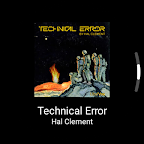
Audiobooks on your wrist!
This is a standalone audiobookshelf version of app for Android Wear OS. This project is made as a side project. The application was created because at the moment the creators of the main application have no plans to create a version for smart watches.

FEATURES:
User Authentication: Allows users to securely log in to access their accounts..
Display Audiobooks: Showcases all available audiobooks on the server.
Chapter Information Retrieval: Enables users to fetch detailed information about the chapters of each audiobook.
Listening: Allows users to listen to audiobooks directly through the app.
Controls: Control the playback (rewind, fast forward etc.).
Full Audiobook Download: Provides the option to download entire audiobooks for offline listening.
Progress Synchronization: Automatically syncs listening progress with the server to maintain continuity across different devices.
Offline Mode: Listen downloaded audiobooks, sync progress later when are you connected.

Screenshots

I'm not a robot

In order to block spam bots, we push you a notification with the following code. Please click on the notification to complete the verification.


Notifications may be slightly delayed, please wait a moment.

Or if your device is unable to receive notifications, you can also send us an email.

Tips:

Please allow [apkz.com] to show notifications. We will notify you as soon as the App is ready.

Um, Seems that the notification is not available.
Would you like to send requests and receive updates via email?

Tips:

After the download is successful, please use [APKZ App] to install it.


Unable to determine whether the file was saved successfully, please confirm it yourself before installing.

Tips:

Your browser is out of date and some features may not work properly, please change or upgrade your browser.


For a better user experience, it is recommended to use Google Chrome or Edge.

Tips:

If the download cannot be completed, please open this page in your browser.


For a better user experience, it is recommended to use Google Chrome or Edge.

Tips:

This App can only be installed on Android devices.